> For the complete documentation index, see [llms.txt](https://codemash.gitbook.io/codemash/llms.txt). Markdown versions of documentation pages are available by appending `.md` to page URLs; this page is available as [Markdown](https://codemash.gitbook.io/codemash/cloud/sms/integrations/providers/telesign.md).
# Telesign
Connect Telesign to SMS — coming soon; Norbix cannot send through Telesign yet.
Telesign offers a global SMS API used for verification and engagement messages.
{% hint style="warning" %}
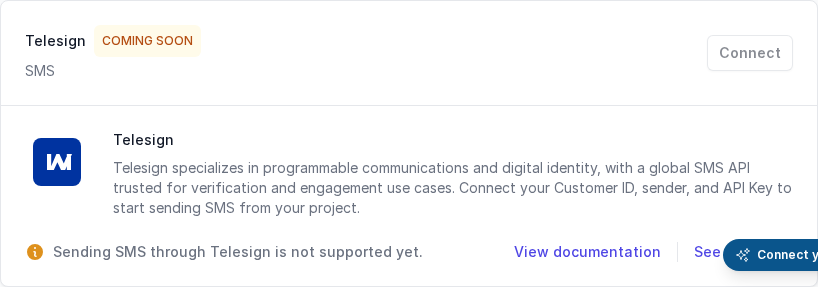
Cloud has no screen for this yet. On **Add New Integration** the Telesign card shows **COMING SOON**, the note *Sending SMS through Telesign is not supported yet.* and a turned-off **Connect** button, and Norbix refuses every send and every test through Telesign (`CM-ERRORS-SMS-005`, *Sending SMS through Telesign is not supported yet. Use Twilio or the Fake provider.*). To send SMS today, use [Twilio](/codemash/cloud/sms/integrations/providers/twilio.md), or [Fake SMS (Test Me)](/codemash/cloud/sms/integrations/providers/fake-sms.md) for practice. The settings below can already be saved with the SDK, the CLI or the API.
{% endhint %}
The Telesign card is not connectable yet.
## Get your credentials
1. Sign in to the [Telesign portal](https://portal.telesign.com/).
2. On the dashboard copy the **Customer ID** and the **API key**.
3. Pick a sender: a number in E.164 format or an alphanumeric name where allowed.
## Connect it in Cloud
**Where:** SMS → Integrations → **Add New Integration** → Telesign — **Connect** is turned off for now.
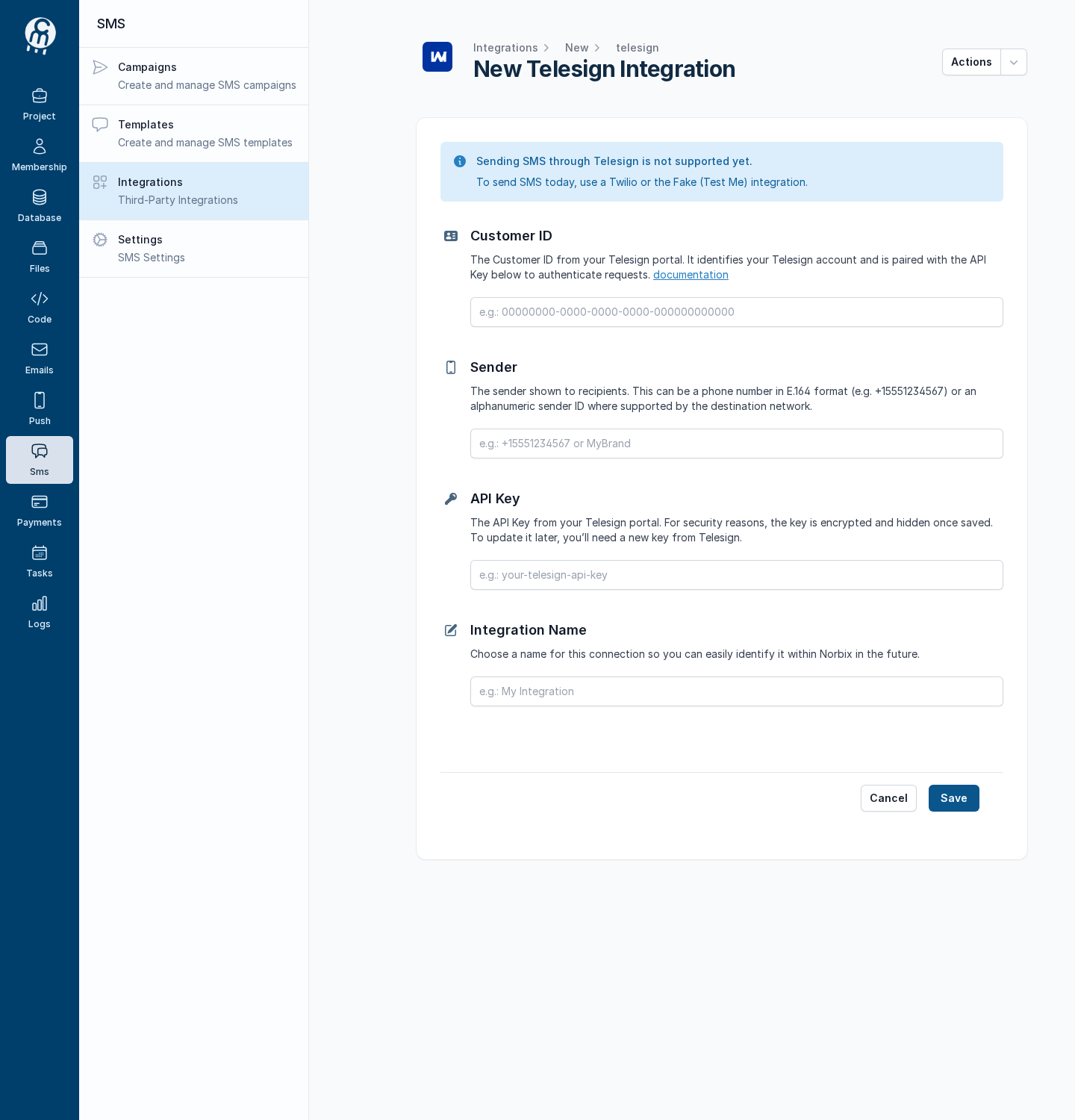
The form exists in Cloud and opens only by its address, `/projects//sms/integrations/new/telesign`; it starts with the note *Sending SMS through Telesign is not supported yet.* An integration saved there (or from code) stays in the [integrations list](/codemash/cloud/sms/integrations.md) with **SENDING NOT SUPPORTED YET**, can be edited and deleted, and is not offered on campaigns, trigger actions or template tests.
| Field | Required | What it does | Example |
| ---------------- | -------- | ----------------------------------------------------- | -------------------------------------- |
| Customer ID | yes | Names your Telesign account; paired with the API Key. | `00000000-0000-0000-0000-000000000000` |
| Sender | yes | The number or alphanumeric name the SMS comes from. | `Acme` |
| API Key | yes | Secret; encrypted on save and never shown again. | `your-telesign-api-key` |
| Integration Name | yes | The name in your integrations list. | `Telesign production` |
The Telesign form, opened by its address.
## Test and set as default
**Test integration** answers *Test failed* with `Sending SMS through Telesign is not supported yet. Use Twilio or the Fake provider.`, and the integration is not offered as a sender, so setting it as default has no use yet. See [Test an integration](/codemash/cloud/sms/integrations/test.md) and [Set an integration as default](/codemash/cloud/sms/integrations/set-default.md) for the flow once Telesign goes live.
## Common errors
| Message | Cause | Fix |
| ----------------------------------------------------------------------------------- | ------------------------------------------ | --------------------------------------------------------------------------------------------------------------------------------------------------- |
| Sending SMS through Telesign is not supported yet. Use Twilio or the Fake provider. | Every send or test through Telesign today. | Use [Twilio](/codemash/cloud/sms/integrations/providers/twilio.md) or [Fake SMS (Test Me)](/codemash/cloud/sms/integrations/providers/fake-sms.md). |
| Secret is not provided (`CM-ERRORS-SECRETS-001`) | An update without the secret fields. | Send every secret again on each save. |
| Required | An empty field on the form. | Fill every field. |
## Do it from code
```ts
const { id } = await norbix.hub.notifications.saveSmsIntegration({
integration: {
provider: 'Telesign',
integrationName: 'Telesign production',
isEnabled: true,
customerId: '00000000-0000-0000-0000-000000000000',
fromSender: 'Acme',
apiKey: 'your-telesign-api-key',
} as any, // the TS type knows only the shared fields
});
```
```sh
norbix hub notifications sms integration save --integration '{"provider":"Telesign","integrationName":"Telesign production","isEnabled":true,"customerId":"00000000-0000-0000-0000-000000000000","fromSender":"Acme","apiKey":"your-telesign-api-key"}'
```
The client setup is on the [SMS page](/codemash/cloud/sms.md#use-it-from-code). API: [Save Sms Integration](/codemash/api-reference/notifications/sms/save-sms-integration.md)