> For the complete documentation index, see [llms.txt](https://codemash.gitbook.io/codemash/llms.txt). Markdown versions of documentation pages are available by appending `.md` to page URLs; this page is available as [Markdown](https://codemash.gitbook.io/codemash/cloud/payments.md).
# Payments
Connect your payment provider or online shop and run your backend when a payment, refund or dispute happens.
The Payments module connects your payment provider (Stripe, PayPal, Adyen, …) or your online shop (Shopify, WooCommerce) to your backend. Each connection is an **integration** with its own **webhook URL**: the provider calls it for every payment event, Norbix checks the signature, turns the call into one common *payment fact*, and runs your **triggers** — send an email, push or SMS, call a webhook, run code. Norbix does not take the payment itself: your app still uses the provider's own checkout.
## Enable the module
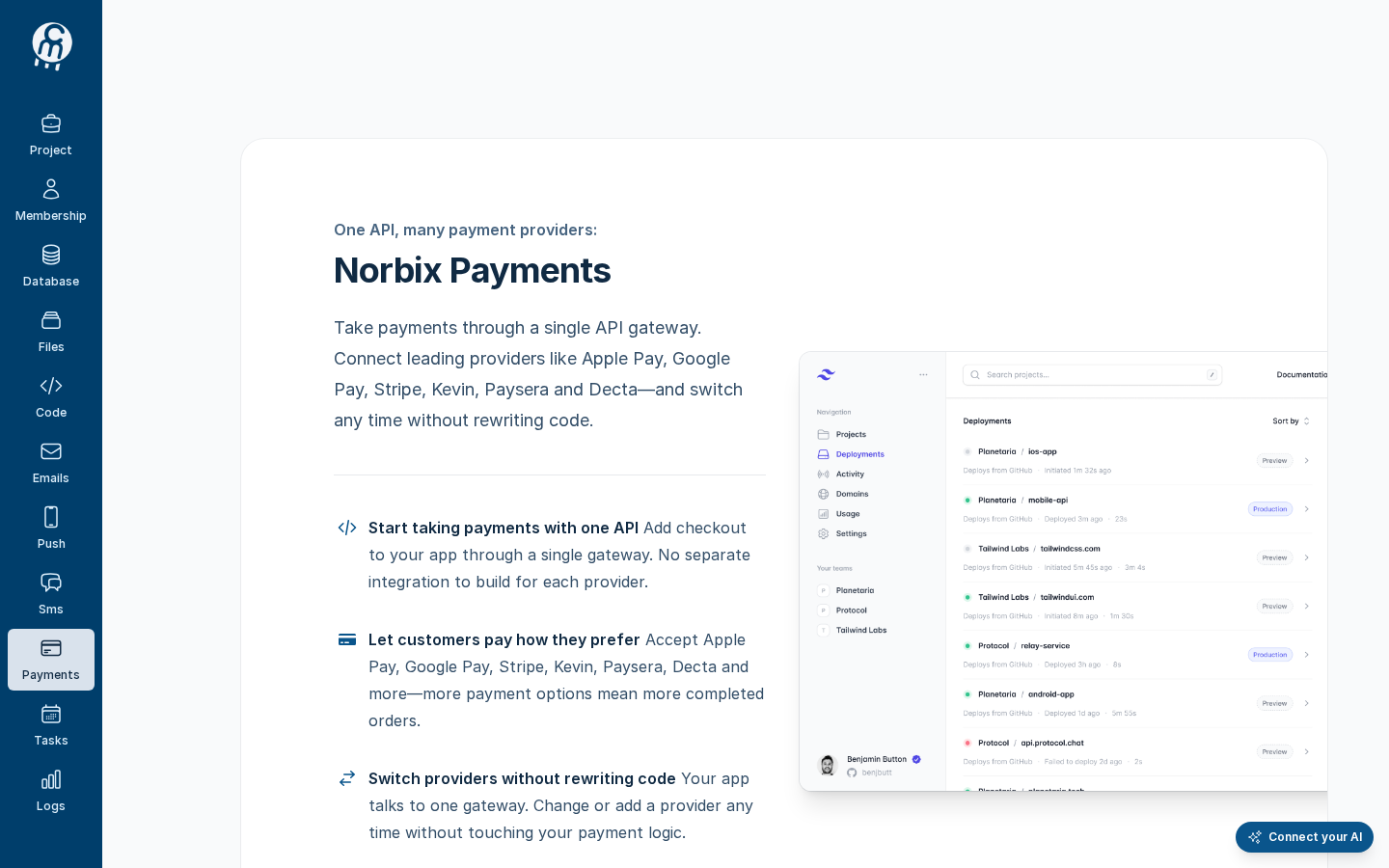
Open a project and choose **Payments** in the left menu. While the module is off, Cloud shows this page; press **ENABLE**. You need a project role that can manage modules (the `payment:manage` permission, for example **Owner** or **Administrator**).
Payments → enable page, shown while the module is off.
{% hint style="info" %}
The text on this page names Apple Pay, Google Pay, Kevin, Paysera and Decta. The providers you can connect today are the eleven on [Providers](/codemash/cloud/payments/integrations/providers.md).
{% endhint %}
After **ENABLE**, Cloud opens the **Orders** screen and shows the Payments menu: **Payments** (*View and manage orders*), **Triggers**, **Integrations**, **Settings**. The Orders screen only says *Order management is not available in this version.* — start with [Integrations](/codemash/cloud/payments/integrations.md).
After ENABLE: the Orders screen and the Payments menu.
To turn the module off again, see [Settings](/codemash/cloud/payments/settings.md).
## Module map
| Screen | What it is for |
| -------------------------------------------------------------------------------------------------------------------------------------------------- | ------------------------------------------------------------------------------------------------------------------------------------------------------------------------------------------------------------------------------------------------------------------------------------------------------------------------------------ |
| [Orders](/codemash/cloud/payments/orders.md) | Menu entry **Payments — View and manage orders**. A placeholder today: Cloud has no order list and no [order details](/codemash/cloud/payments/orders/details.md); the events a provider reported are listed per integration under **Received webhooks**. |
| [Triggers](/codemash/cloud/payments/triggers.md) | Run an action when a provider reports an event: [create](/codemash/cloud/payments/triggers/new.md), [edit](/codemash/cloud/payments/triggers/edit.md), [enable or disable](/codemash/cloud/payments/triggers/enable.md), [delete](/codemash/cloud/payments/triggers/delete.md). |
| [Integrations](/codemash/cloud/payments/integrations.md) | Your providers and their webhook URLs: [connect one](/codemash/cloud/payments/integrations/providers.md), [test](/codemash/cloud/payments/integrations/test.md), [disable or delete](/codemash/cloud/payments/integrations/disable.md). Payments has [no default integration](/codemash/cloud/payments/integrations/set-default.md). |
| [Settings](/codemash/cloud/payments/settings.md) | Turn the module off for the project. |
| [Customers](/codemash/cloud/payments/customers.md), [Plans](/codemash/cloud/payments/plans.md), [Discounts](/codemash/cloud/payments/discounts.md) | Not in Cloud today — these screens are switched off until the backend supports them. |
## Your first payment trigger
1. [Connect your provider](/codemash/cloud/payments/integrations/providers.md) — for example [Stripe](/codemash/cloud/payments/integrations/providers/stripe.md) with its secret key and webhook signing secret. After **Save** the page shows the **Webhook URL**.
2. Paste the webhook URL into the provider's webhook settings and pick the events (for Stripe: `payment_intent.succeeded`, `charge.refunded`, …).
3. [Test the integration](/codemash/cloud/payments/integrations/test.md) — Norbix signs in to the provider with the saved keys.
4. [Create a trigger](/codemash/cloud/payments/triggers/new.md) — **When webhook call received**, the integration, the events, and the action (for example **Send Email** to `billing@example.com`).
5. Make a test payment at the provider and check **Received webhooks** on the integration page (status **200**, **Processed.**).
## Use it from code
Every **Do it from code** block in the Payments pages uses this client. Install `@norbix.ai/ts` (see [SDK install](/codemash/sdks/install.md)) and set `NORBIX_API_KEY` to a project API key.
```ts
import { Norbix } from '@norbix.ai/ts';
const projectId = 'pr_5t5rZQMXpDHXI6l4LnDpNi';
const norbix = new Norbix({ projectId }); // the key comes from NORBIX_API_KEY
const { list } = await norbix.hub.payments.getPaymentsIntegrations();
console.log(list.items.map((i) => `${i.integrationName} (${i.gatewayPlatform})`));
// [ 'Stripe test mode (Stripe)', 'Paddle sandbox (Paddle)', … ]
```
The CLI lines use the generic `norbix hub …` commands of `@norbix.ai/cli` (signed in with `norbix login`, project id in `NORBIX_PROJECT_ID`):
```sh
norbix hub payments enable
norbix hub payments integrations get --pageSize 3
```
{% hint style="info" %}
The client sends the project id with every call (the `norbix-project-id` header), so the requests do not repeat it. The CLI does the same with the project of `norbix login --project …`, `norbix config set projectId …` or `NORBIX_PROJECT_ID`.
{% endhint %}
## Related
[Integrations concept](/codemash/cloud/concepts/integrations.md) · [Triggers concept](/codemash/cloud/concepts/triggers.md) · [Tokens binding](/codemash/cloud/concepts/tokens-binding.md) · [SDK](/codemash/sdks/payments.md) · [CLI](/codemash/cli/reference/payments.md) · [API](/codemash/api-reference/payments.md)