> For the complete documentation index, see [llms.txt](https://codemash.gitbook.io/codemash/llms.txt). Markdown versions of documentation pages are available by appending `.md` to page URLs; this page is available as [Markdown](https://codemash.gitbook.io/codemash/cloud/logs/integrations/providers/kafka.md).
# Apache Kafka
Connect Apache Kafka to Logs — not in the Cloud picker; it can be saved from code, but Norbix cannot send logs to it yet.
Apache Kafka is an event streaming platform; each log entry would become a record in a topic you choose, for your own consumers.
{% hint style="warning" %}
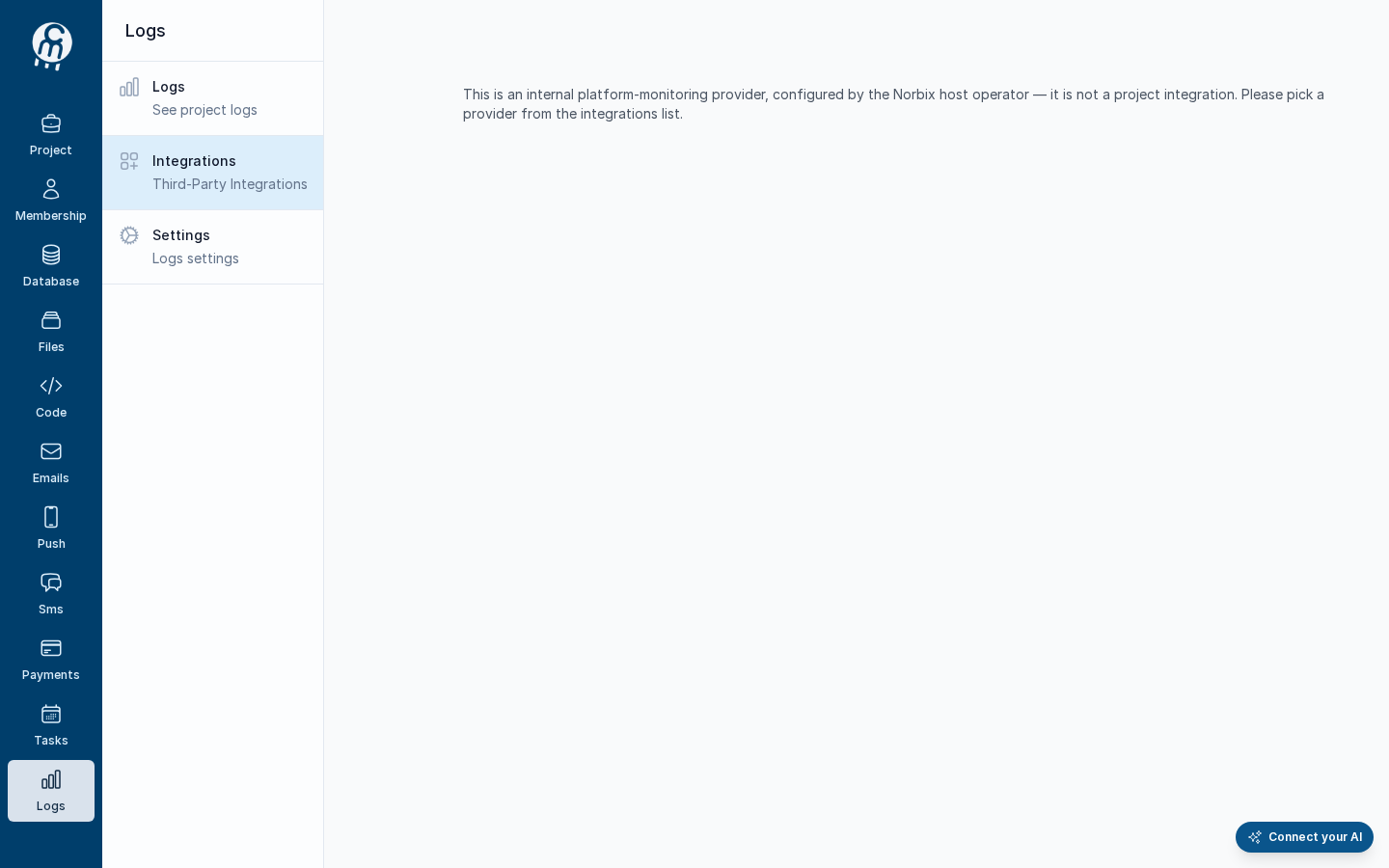
Cloud has no screen to add Apache Kafka: it is not in the picker, and its address shows *This is an internal platform-monitoring provider, configured by the Norbix host operator — it is not a project integration. Please pick a provider from the integrations list.* An integration saved from the SDK, the CLI or the API opens in Cloud with its fields, but its test fails with *Log delivery for the 'Kafka' provider is configured but not yet supported by this version. The integration is saved correctly; delivery will start working once the provider's runtime client ships. NorbixLogging and MongoDB are currently the only providers with live delivery.* — so it receives no entries. To keep your logs today, use [Norbix Logging](/codemash/cloud/logs/integrations/providers/norbix-logging.md).
{% endhint %}
The Apache Kafka address in Cloud today.
## Get your credentials
What Apache Kafka will ask for, from its own documentation:
1. Note the **bootstrap servers** of your cluster (`broker1.example.com:9092`) and create the **topic**, for example `bookshop-logs`.
2. If the cluster needs a sign-in, create a SASL user and password — see [SASL authentication](https://kafka.apache.org/documentation/#security_sasl), or on Confluent Cloud an [API key](https://docs.confluent.io/cloud/current/security/authenticate/workload-identities/service-accounts/api-keys/overview.html) (key = user, secret = password).
## Connect it in Cloud
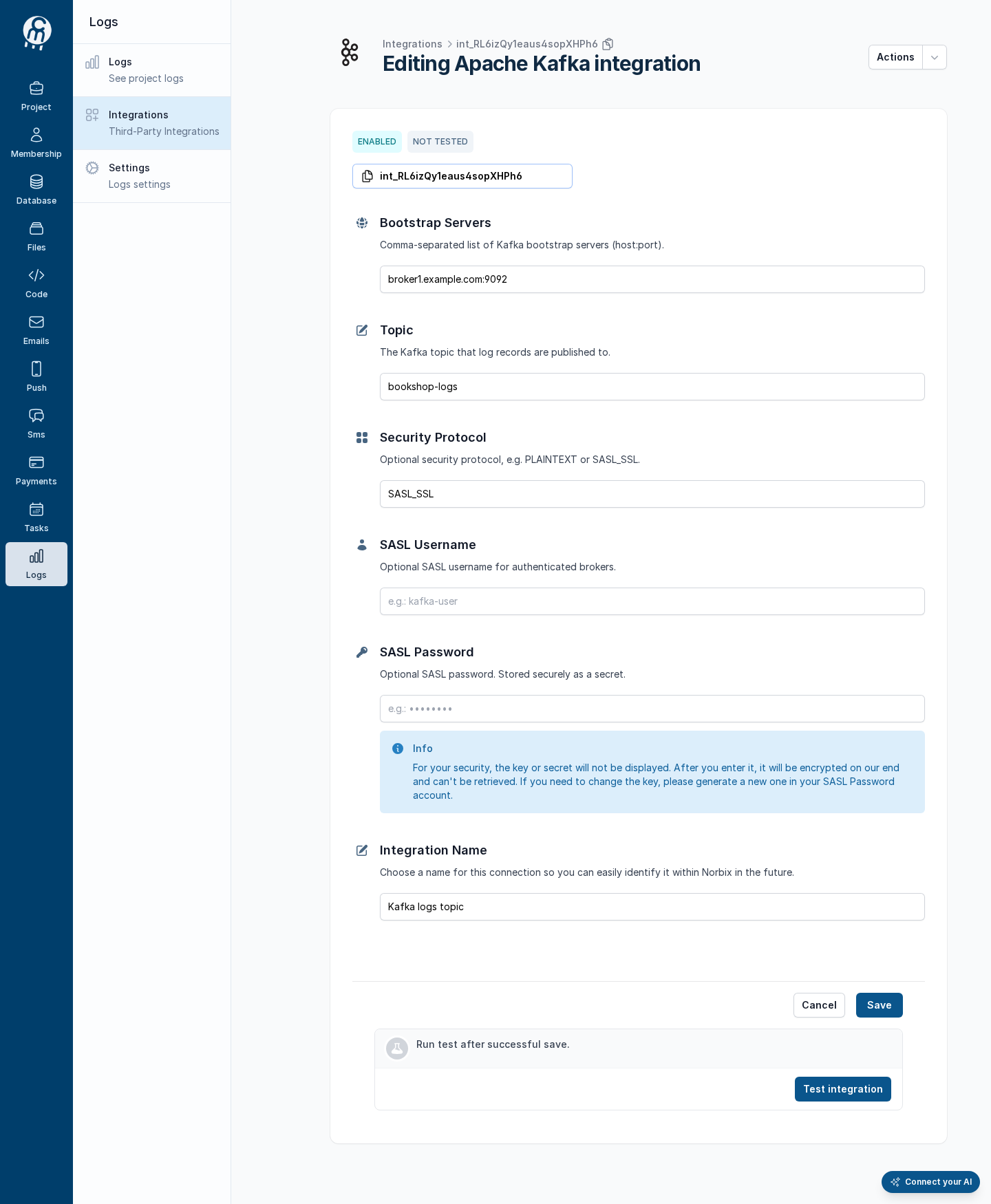
**Where:** not in the picker. An integration saved from code opens from Logs → Integrations at `/projects//logging/integrations//edit`.
| Field | Required | What it does | Example |
| ----------------- | ---------------------- | ------------------------------------------------- | -------------------------- |
| Bootstrap Servers | yes | Comma-separated `host:port` list of your brokers. | `broker1.example.com:9092` |
| Topic | yes | The topic the entries are written to. | `bookshop-logs` |
| Security Protocol | no | For example `PLAINTEXT` or `SASL_SSL`. | `SASL_SSL` |
| SASL Username | no | User for a cluster with sign-in. | `bookshop` |
| SASL Password | no (Cloud asks for it) | Secret; encrypted on save and never shown again. | `your-sasl-password` |
| Integration Name | yes | The name in your integrations list. | `Kafka logs topic` |
An integration saved from code, opened in Cloud.
Secret fields are never shown; type them again before **Save** on this page.
## Test and set as default
**Test integration** runs one check, **WriteLog**, and it fails today for every Apache Kafka integration — Norbix has no Apache Kafka sender yet. See [Test an integration](/codemash/cloud/logs/integrations/test.md). Logging has no default integration ([Default integration](/codemash/cloud/logs/integrations/set-default.md)).
## Common errors
| Message | Cause | Fix |
| ----------------------------------------------------------------------------------------------------------------------------------------------------------------------------------------------------------------------------------------------------------------------------------- | ------------------------------------------------------------- | ---------------------------------------------------------------------------------------------------------- |
| Log delivery for the 'Kafka' provider is configured but not yet supported by this version. The integration is saved correctly; delivery will start working once the provider's runtime client ships. NorbixLogging and MongoDB are currently the only providers with live delivery. | Every Apache Kafka test today. | Use [Norbix Logging](/codemash/cloud/logs/integrations/providers/norbix-logging.md). |
| This is an internal platform-monitoring provider, configured by the Norbix host operator — it is not a project integration. Please pick a provider from the integrations list. | You opened `/new/kafka` in Cloud. | Save it from code, or use [Norbix Logging](/codemash/cloud/logs/integrations/providers/norbix-logging.md). |
| Required | An empty field on the edit form; secrets must be typed again. | Fill every field. |
## Do it from code
```ts
const { id } = await norbix.hub.logs.saveLoggingIntegration({
integration: {
provider: 'Kafka',
integrationName: 'Kafka logs topic',
isEnabled: true,
bootstrapServers: 'broker1.example.com:9092',
topic: 'bookshop-logs',
securityProtocol: 'SASL_SSL',
saslUsername: 'bookshop',
saslPassword: 'your-sasl-password',
} as any, // the TS type knows only the shared fields
});
const { items } = await norbix.hub.logs.testLoggingIntegration({ integrationId: id });
// [ { operation: 'WriteLog', result: 'FAILED', errors: [ "Log delivery for the …" ] } ]
```
```sh
norbix hub logs logging integration save --integration '{"provider":"Kafka","integrationName":"Kafka logs topic","isEnabled":true,"bootstrapServers":"broker1.example.com:9092","topic":"bookshop-logs","securityProtocol":"SASL_SSL","saslUsername":"bookshop","saslPassword":"your-sasl-password"}'
```
The provider is written `Kafka` in requests. The client setup is on the [Logs page](/codemash/cloud/logs.md#use-it-from-code). API: [Save Logging Integration](/codemash/api-reference/logs/integrations/save-logging-integration.md) · [Test Logging Integration](/codemash/api-reference/logs/integrations/test-logging-integration.md)