> For the complete documentation index, see [llms.txt](https://codemash.gitbook.io/codemash/llms.txt). Markdown versions of documentation pages are available by appending `.md` to page URLs; this page is available as [Markdown](https://codemash.gitbook.io/codemash/cloud/logs/integrations/providers/elastic-cloud.md).
# Elastic Cloud
Connect Elastic Cloud to Logs — planned; there is no form in Cloud and Norbix refuses to save it yet.
Elastic Cloud runs Elasticsearch and Kibana for you; log entries would be indexed for search and Kibana dashboards.
{% hint style="warning" %}
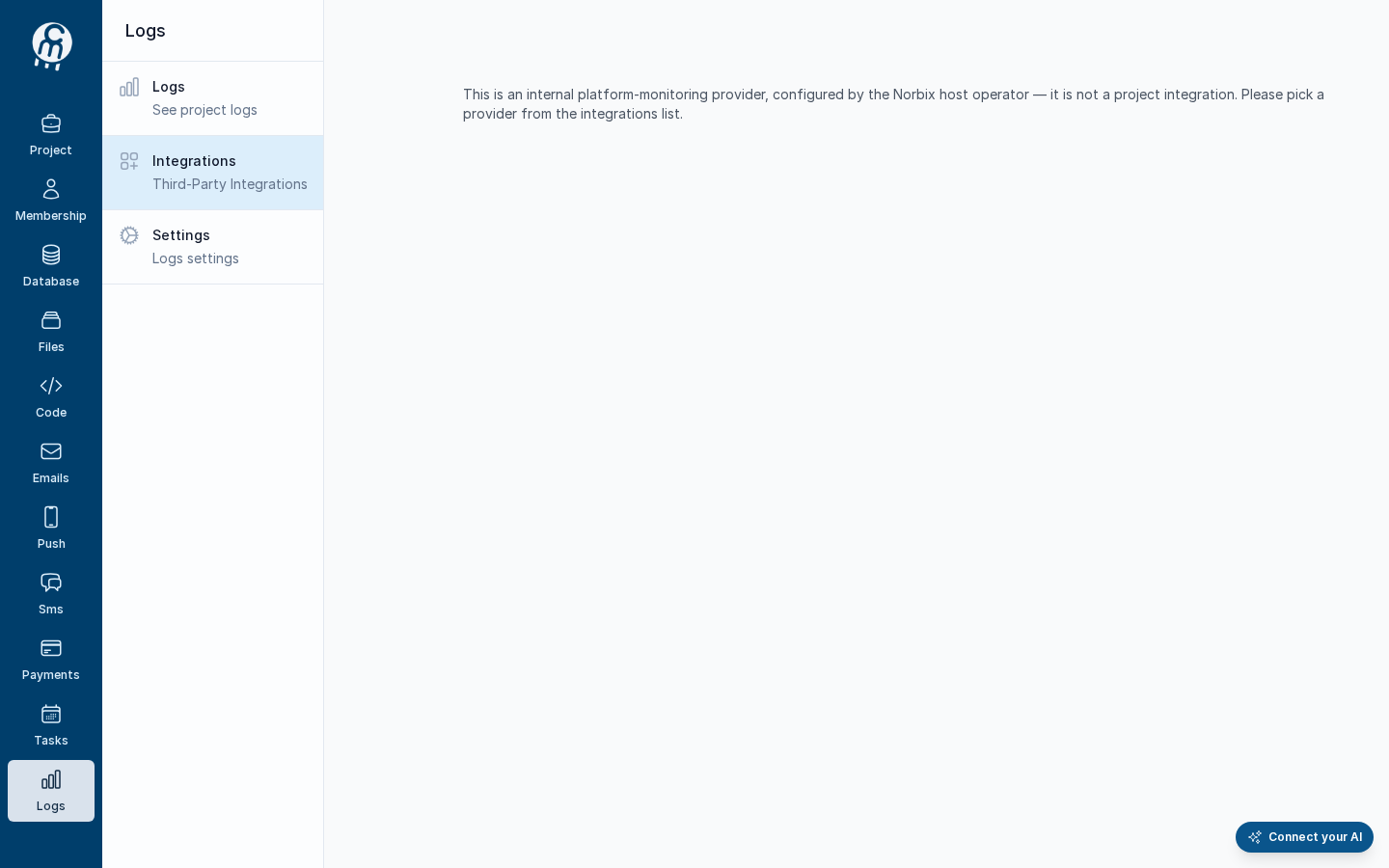
Cloud has no screen for Elastic Cloud: it is not in the picker, and its address shows *This is an internal platform-monitoring provider, configured by the Norbix host operator — it is not a project integration. Please pick a provider from the integrations list.* Saving it from the SDK, the CLI or the API is refused: *The 'ElasticCloud' logging provider isn't available yet. Support for it is coming soon — for now you can use Norbix Logging or Datadog for project logging.* To keep your logs today, use [Norbix Logging](/codemash/cloud/logs/integrations/providers/norbix-logging.md).
{% endhint %}
The Elastic Cloud address in Cloud today.
## Get your credentials
What Elastic Cloud will ask for, from its own documentation:
1. Open your deployment in the Elastic Cloud console and copy its **Cloud ID**. See [Find your Cloud ID](https://www.elastic.co/docs/deploy-manage/deploy/elastic-cloud/find-cloud-id).
2. In Kibana, create an **API key** that may write to your log index or data stream. See [Elasticsearch API keys](https://www.elastic.co/docs/deploy-manage/api-keys/elasticsearch-api-keys).
## Connect it in Cloud
**Where:** nowhere yet — no card, no form (`/projects//logging/integrations/new/elastic-cloud` shows the text above).
The fields will be listed here when the form ships.
## Test and set as default
There is nothing to test until Elastic Cloud can be saved. When it can, **Test integration** works as described in [Test an integration](/codemash/cloud/logs/integrations/test.md); logging has no default integration ([Default integration](/codemash/cloud/logs/integrations/set-default.md)).
## Common errors
| Message | Cause | Fix |
| ------------------------------------------------------------------------------------------------------------------------------------------------------------------------------ | ----------------------------------------- | ------------------------------------------------------------------------------------ |
| The 'ElasticCloud' logging provider isn't available yet. Support for it is coming soon — for now you can use Norbix Logging or Datadog for project logging. | Every save of Elastic Cloud today. | Use [Norbix Logging](/codemash/cloud/logs/integrations/providers/norbix-logging.md). |
| This is an internal platform-monitoring provider, configured by the Norbix host operator — it is not a project integration. Please pick a provider from the integrations list. | You opened `/new/elastic-cloud` in Cloud. | Use [Norbix Logging](/codemash/cloud/logs/integrations/providers/norbix-logging.md). |
## Do it from code
```ts
const { id } = await norbix.hub.logs.saveLoggingIntegration({
projectId,
integration: {
provider: 'ElasticCloud',
integrationName: 'Elastic Cloud',
isEnabled: true,
} as any, // the TS type knows only the shared fields
});
// throws: The 'ElasticCloud' logging provider isn't available yet. …
```
```sh
norbix hub logs logging integration save --projectId "$NORBIX_PROJECT_ID" --integration '{"provider":"ElasticCloud","integrationName":"Elastic Cloud","isEnabled":true}'
```
The provider is written `ElasticCloud` in requests. The client setup is on the [Logs page](/codemash/cloud/logs.md#use-it-from-code). API: [Save Logging Integration](/codemash/api-reference/logs/integrations/save-logging-integration.md)