> For the complete documentation index, see [llms.txt](https://codemash.gitbook.io/codemash/llms.txt). Markdown versions of documentation pages are available by appending `.md` to page URLs; this page is available as [Markdown](https://codemash.gitbook.io/codemash/cloud/logs/integrations/providers/axiom.md).
# Axiom
Connect Axiom to Logs — planned; there is no form in Cloud and Norbix refuses to save it yet.
Axiom stores event and log data in datasets you query with its own query language, priced by the amount of data.
{% hint style="warning" %}
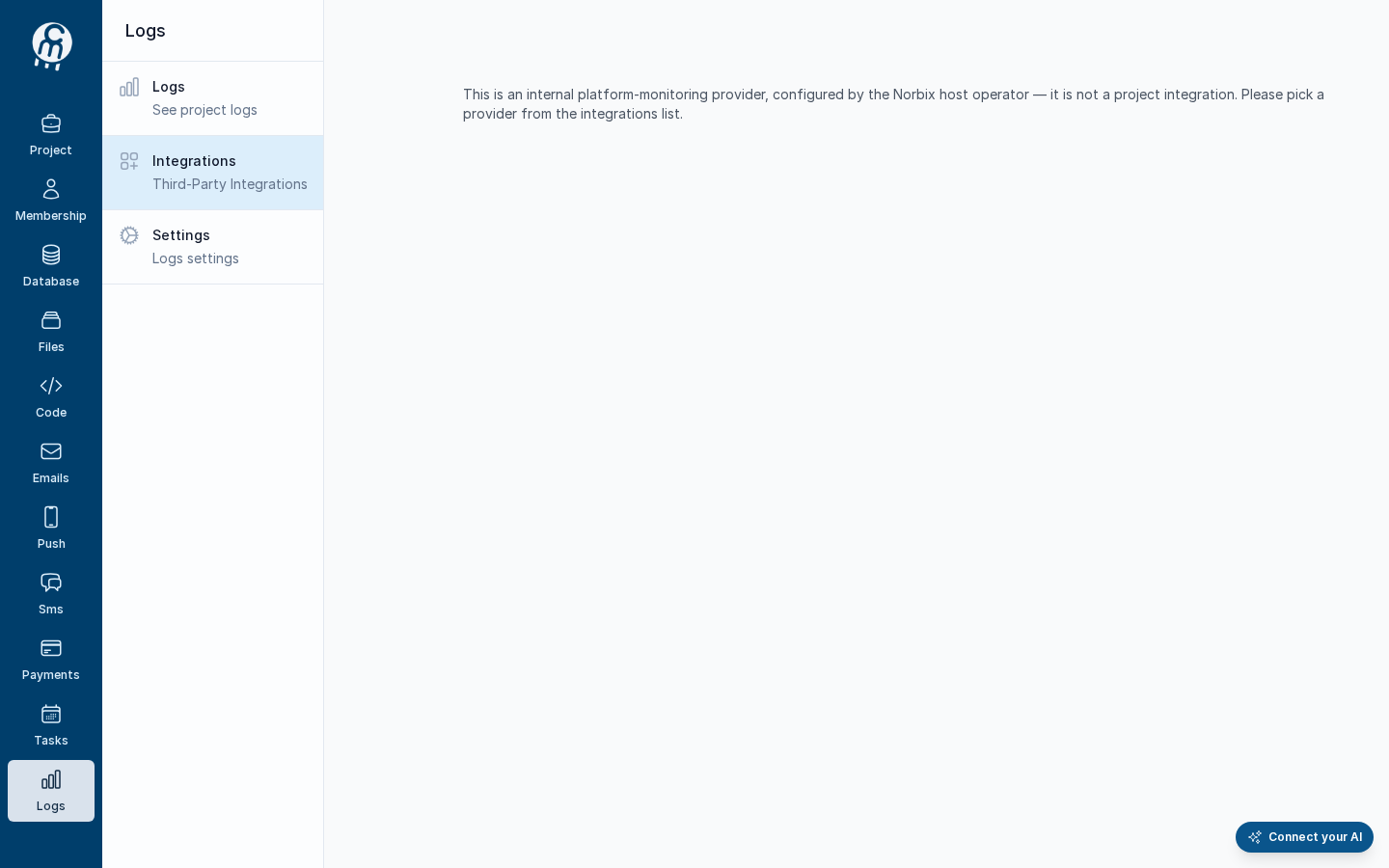
Cloud has no screen for Axiom: it is not in the picker, and its address shows *This is an internal platform-monitoring provider, configured by the Norbix host operator — it is not a project integration. Please pick a provider from the integrations list.* Saving it from the SDK, the CLI or the API is refused: *The 'Axiom' logging provider isn't available yet. Support for it is coming soon — for now you can use Norbix Logging or Datadog for project logging.* To keep your logs today, use [Norbix Logging](/codemash/cloud/logs/integrations/providers/norbix-logging.md).
{% endhint %}
The Axiom address in Cloud today.
## Get your credentials
What Axiom will ask for, from its own documentation:
1. Sign in to Axiom, open **Settings → Datasets** and create a dataset, for example `bookshop-logs`. See [Datasets](https://axiom.co/docs/reference/datasets).
2. Open **Settings → API tokens** and create a token that may ingest into that dataset. See [Tokens](https://axiom.co/docs/reference/tokens).
## Connect it in Cloud
**Where:** nowhere yet — no card, no form (`/projects//logging/integrations/new/axiom` shows the text above).
The fields will be listed here when the form ships.
## Test and set as default
There is nothing to test until Axiom can be saved. When it can, **Test integration** works as described in [Test an integration](/codemash/cloud/logs/integrations/test.md); logging has no default integration ([Default integration](/codemash/cloud/logs/integrations/set-default.md)).
## Common errors
| Message | Cause | Fix |
| ------------------------------------------------------------------------------------------------------------------------------------------------------------------------------ | --------------------------------- | ------------------------------------------------------------------------------------ |
| The 'Axiom' logging provider isn't available yet. Support for it is coming soon — for now you can use Norbix Logging or Datadog for project logging. | Every save of Axiom today. | Use [Norbix Logging](/codemash/cloud/logs/integrations/providers/norbix-logging.md). |
| This is an internal platform-monitoring provider, configured by the Norbix host operator — it is not a project integration. Please pick a provider from the integrations list. | You opened `/new/axiom` in Cloud. | Use [Norbix Logging](/codemash/cloud/logs/integrations/providers/norbix-logging.md). |
## Do it from code
```ts
const { id } = await norbix.hub.logs.saveLoggingIntegration({
projectId,
integration: {
provider: 'Axiom',
integrationName: 'Axiom',
isEnabled: true,
} as any, // the TS type knows only the shared fields
});
// throws: The 'Axiom' logging provider isn't available yet. …
```
```sh
norbix hub logs logging integration save --projectId "$NORBIX_PROJECT_ID" --integration '{"provider":"Axiom","integrationName":"Axiom","isEnabled":true}'
```
The provider is written `Axiom` in requests. The client setup is on the [Logs page](/codemash/cloud/logs.md#use-it-from-code). API: [Save Logging Integration](/codemash/api-reference/logs/integrations/save-logging-integration.md)