> For the complete documentation index, see [llms.txt](https://codemash.gitbook.io/codemash/llms.txt). Markdown versions of documentation pages are available by appending `.md` to page URLs; this page is available as [Markdown](https://codemash.gitbook.io/codemash/cloud/files/integrations/providers/google-drive.md).
# Google Drive
Connect Google Drive — keep a project's files in a Google Drive folder through a service account.
**Google Drive** keeps the project's files in Google Drive, through a Google Cloud service account. You can limit it to one folder that you share with the service account.
## Get your credentials
1. In the [Google Cloud console](https://console.cloud.google.com), pick or create a project and turn on the **Google Drive API** — [Enable Google Workspace APIs](https://developers.google.com/workspace/guides/enable-apis).
2. Create a service account and a JSON key for it (**Keys → Add key → Create new key → JSON**) — [Create access credentials: service account](https://developers.google.com/workspace/guides/create-credentials). Note the service account's email, for example `norbix-files@acme-shop-demo.iam.gserviceaccount.com`.
3. In [Google Drive](https://drive.google.com), create the folder for the files, open **Share**, add the service account's email as **Editor** — [Share folders in Google Drive](https://support.google.com/drive/answer/2494822).
4. Open the folder and copy its id from the address bar: the part after `/folders/`, for example `1AbCdEfGhIjKlMnOpQrStUvWxYz012345`.
## Connect it in Cloud
**Where:** Files → Integrations → **Add New Integration** → Google Drive → **Connect**
| Field | Required | What it does | Example |
| ------------------------- | -------- | --------------------------------------------------------------------------------------------------------------------------------------------------------------------------- | --------------------------------------------------- |
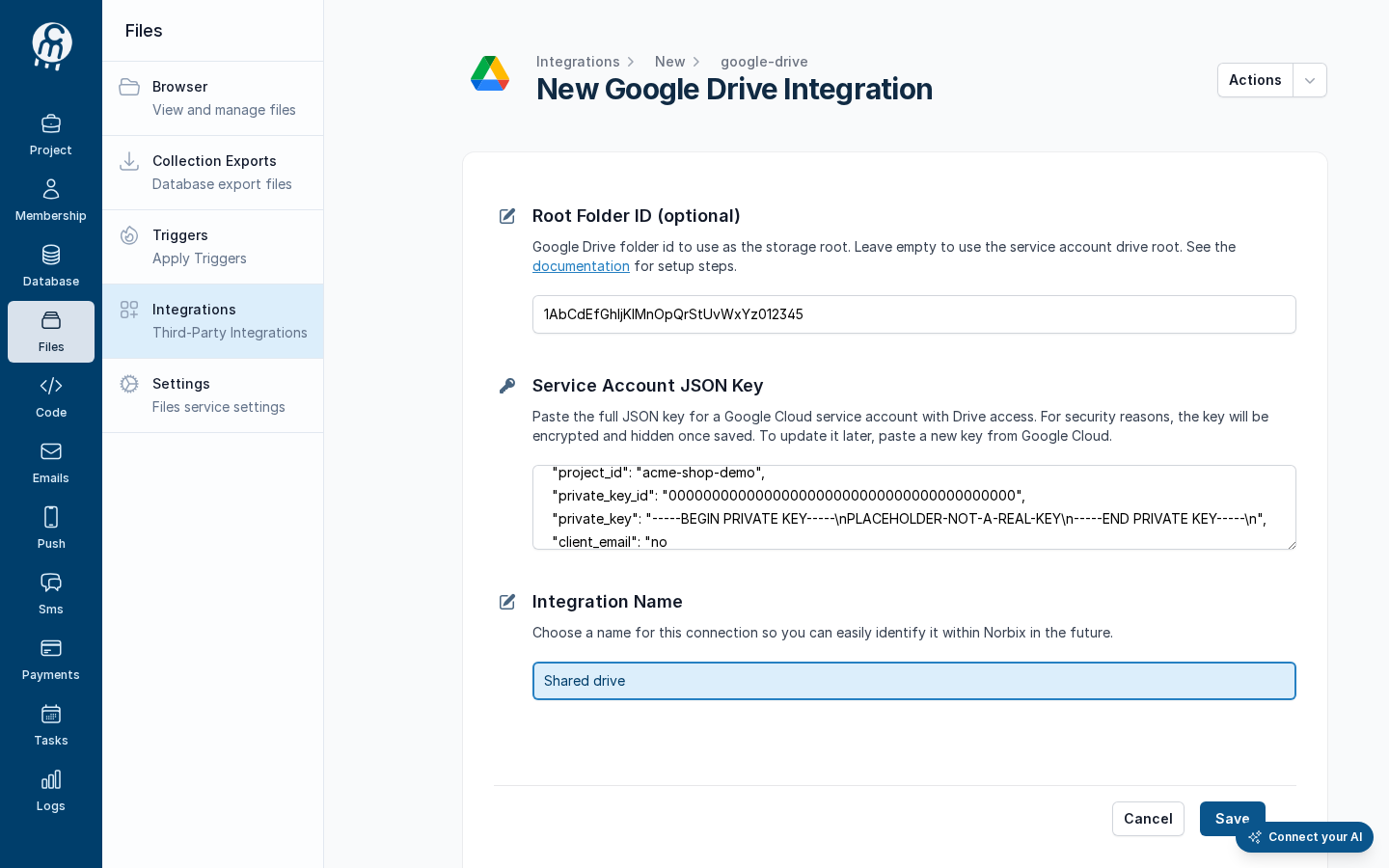
| Root Folder ID (optional) | no | The Drive folder used as the root. Empty uses the service account's own Drive; Google gives service accounts no Drive storage quota of their own, so set the shared folder. | `1AbCdEfGhIjKlMnOpQrStUvWxYz012345` |
| Service Account JSON Key | yes | The whole content of the key file. It is stored encrypted and never shown again. | `{ "type": "service_account", … }` (not a real key) |
| Integration Name | yes | The name in the list. | `Shared drive` |
The filled form (placeholder values).
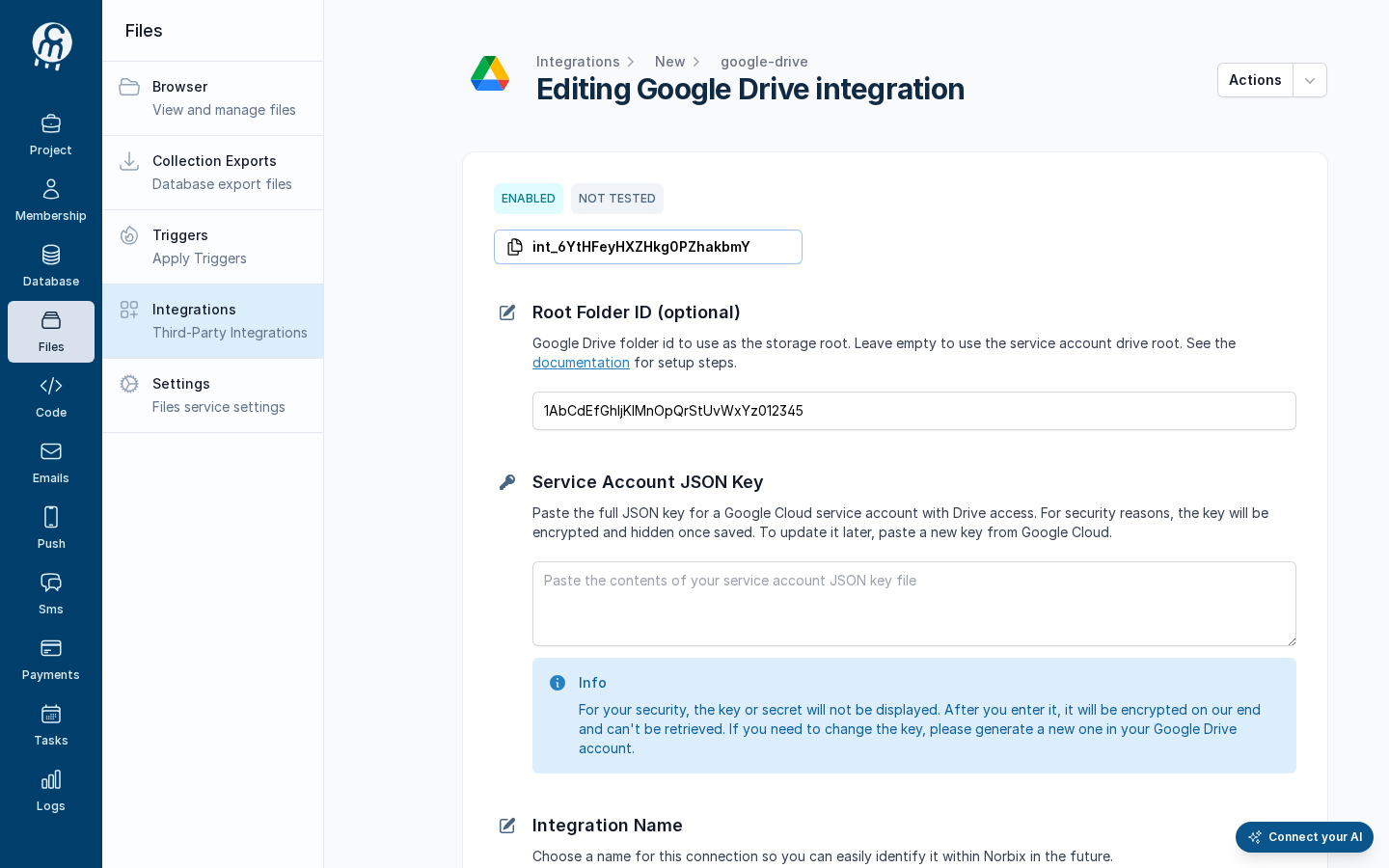
Press **Save**. The page becomes **Editing Google Drive integration** with the id and the badges **ENABLED** · **NOT TESTED**; the key box is empty again. To save a later change, paste the key again.
After save.
## Test and set as default
**Test integration** uploads, reads, lists and deletes a probe file in the folder — see [Test an integration](/codemash/cloud/files/integrations/test.md). With the placeholder key the test fails on **UploadFile**; the lines below it were not run, although Cloud draws them as **Success**:
A failed test with the placeholder key.
**Actions → Set as default** makes it the storage file calls use when they name none — see [Set as default](/codemash/cloud/files/integrations/set-default.md).
## Common errors
| Message | Cause | Fix |
| --------------------------------------------------------------------------------- | ----------------------------------------------------- | ------------------------------------ |
| *Failed to create Google Drive client: Error deserializing JSON credential data.* | The box does not hold a complete service-account key. | Paste the whole downloaded key file. |
| *Required* under **Service Account JSON Key** when you save a change | The secret is never sent back to the form. | Paste the key again, then **Save**. |
## Do it from code
```ts
import fs from 'node:fs';
const { id } = await norbix.hub.files.saveFilesIntegration({
integration: {
provider: 'GoogleDrive',
integrationName: 'Shared drive (code)',
isEnabled: true,
rootFolderId: '1AbCdEfGhIjKlMnOpQrStUvWxYz012345',
serviceAccountJsonKey: fs.readFileSync('norbix-files-key.json', 'utf8'),
},
});
```
```sh
norbix hub files integration save --integration:json '{"provider":"GoogleDrive","integrationName":"Shared drive (cli)","isEnabled":true,"rootFolderId":"1AbCdEfGhIjKlMnOpQrStUvWxYz012345","serviceAccountJsonKey":"{\"type\":\"service_account\",\"project_id\":\"acme-shop-demo\"}"}'
```
The client setup is on the [Files page](/codemash/cloud/files.md#use-it-from-code). API: [Save Files Integration](/codemash/api-reference/files/integrations/save-files-integration.md)