> For the complete documentation index, see [llms.txt](https://codemash.gitbook.io/codemash/llms.txt). Markdown versions of documentation pages are available by appending `.md` to page URLs; this page is available as [Markdown](https://codemash.gitbook.io/codemash/cloud/account/team.md).

# Team

Add a team member to your account and give them account roles.

**Where:** menu bar → **Team** → **Add New** · `/account/team`, `/account/team/new`

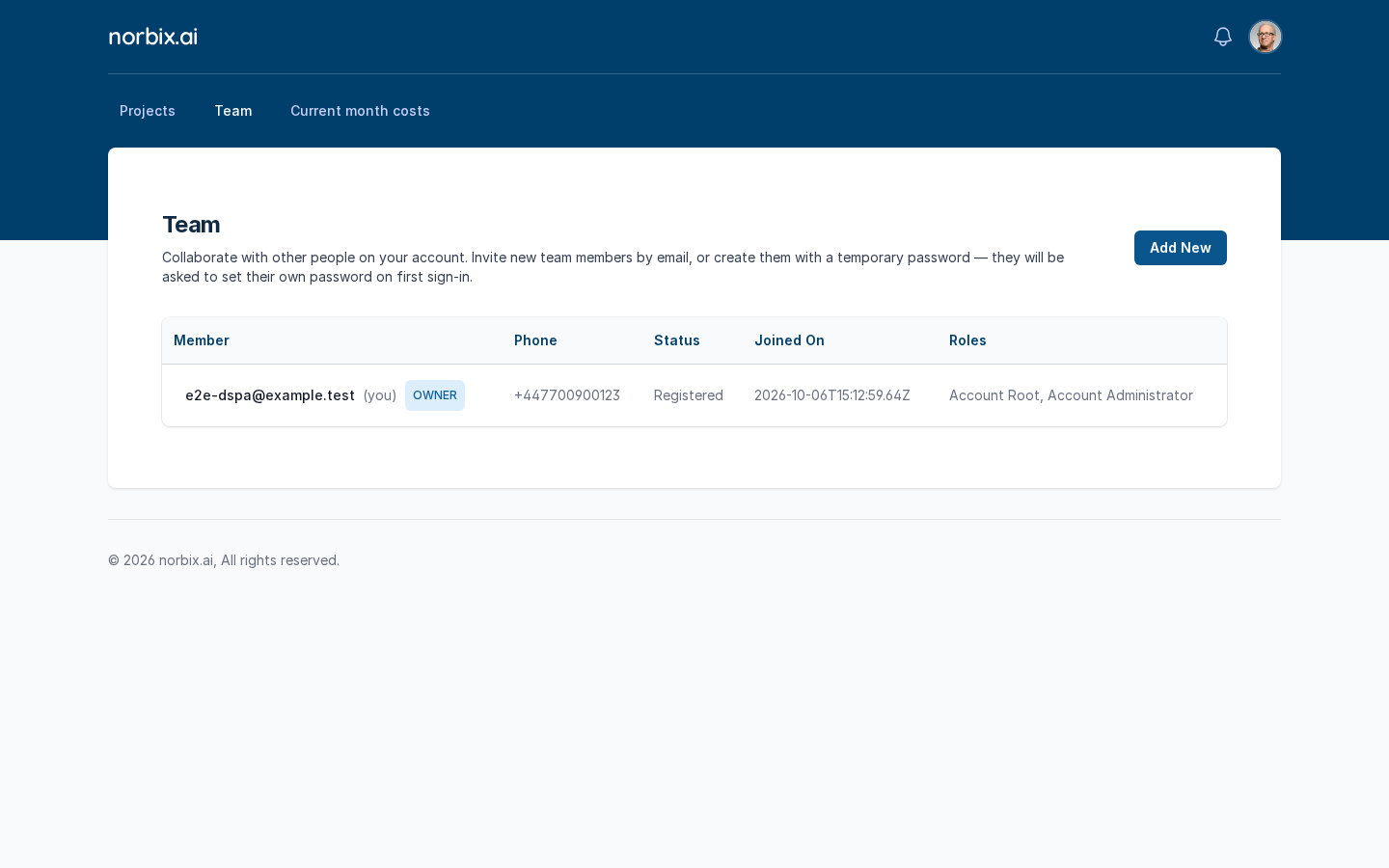
The **Team** screen lists everyone who works on your account. Each member signs in with an email and a password and gets one or more **account roles**, which decide what they may do (see [Security](/codemash/cloud/account/security.md)).

<figure><img src="https://712692422-files.gitbook.io/~/files/v0/b/gitbook-x-prod.appspot.com/o/spaces%2FHy372bqsaex2cqS3ikhL%2Fuploads%2Fgit-blob-3ff241cedc99fc0915a539ee8e54419ddabb3760%2Fteam-1.png?alt=media" alt="Team list with the owner row: email, (you), OWNER badge, phone, Registered, joined date, roles"><figcaption><p>The Team list. The owner has the OWNER badge.</p></figcaption></figure>

| Column    | What it shows                                                                                    |
| --------- | ------------------------------------------------------------------------------------------------ |
| Member    | Email; **(you)** marks yourself, **OWNER** marks the account owner.                              |
| Phone     | The member's own phone from [Your Profile](/codemash/cloud/account/profile.md), or **No phone**. |
| Status    | For example **Registered**.                                                                      |
| Joined On | When the member was added.                                                                       |
| Roles     | The member's account roles.                                                                      |

`?pageSize=` in the address sets how many members one page shows (20 by default).

## Before you start

* You need an account role that may manage the team (**Account Administrator** or **Team Manager**).
* Custom roles must exist before you can pick them — [Security](/codemash/cloud/account/security.md).

## Steps

1. On **Team**, press **Add New**.
2. Fill in **Member Information** and tick the roles:

   | Field               | Required | What it does                                                                                                                                                                                        | Example                   |
   | ------------------- | -------- | --------------------------------------------------------------------------------------------------------------------------------------------------------------------------------------------------- | ------------------------- |
   | Email address       | yes      | The member's sign-in email.                                                                                                                                                                         | `alan.turing@example.com` |
   | Display Name        | no       | The name shown in Cloud; empty = the part before `@`.                                                                                                                                               | `Alan Turing`             |
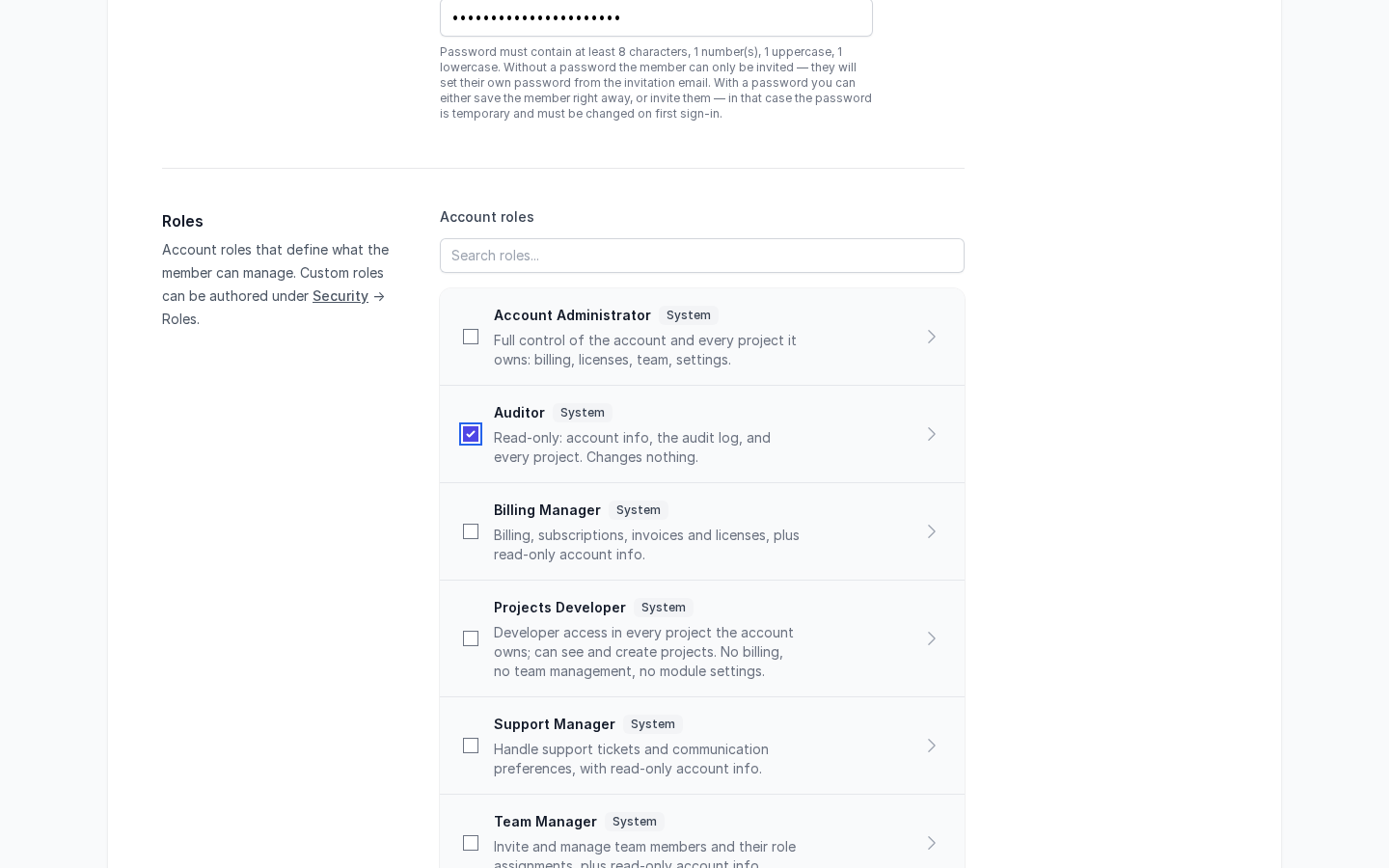
   | Password (optional) | no       | A temporary password: at least 8 characters, 1 number, 1 uppercase and 1 lowercase letter. The member must change it at the first sign-in.                                                          | —                         |
   | Account roles       | no       | System roles (**Account Administrator**, **Auditor**, **Billing Manager**, **Projects Developer**, **Support Manager**, **Team Manager**) and your custom roles. Use **Search roles...** to filter. | **Auditor**               |

   <figure><img src="https://712692422-files.gitbook.io/~/files/v0/b/gitbook-x-prod.appspot.com/o/spaces%2FHy372bqsaex2cqS3ikhL%2Fuploads%2Fgit-blob-16650d6094cc9fa8d5cbeee4842ac6721188b921%2Fteam-4.png?alt=media" alt="Add Team Member form with a temporary password and the Auditor role ticked"><figcaption><p>A member with a temporary password and the Auditor role.</p></figcaption></figure>
3. Press **Save** to create the member with the temporary password. Give the password to the member yourself. (**Save** shows only when a password is set.)

{% hint style="warning" %}
**Invite** (send an invitation email) does not work today: Cloud answers *CM-ERRORS-INFRA-NORBIX-001: A temporary internal error occurred* and nothing is sent — with or without a password. Use **Save** with a temporary password until this is fixed.
{% endhint %}

<figure><img src="https://712692422-files.gitbook.io/~/files/v0/b/gitbook-x-prod.appspot.com/o/spaces%2FHy372bqsaex2cqS3ikhL%2Fuploads%2Fgit-blob-530200e74ace9ed7859a72d1140f85a1f72f4f4d%2Fteam-2.png?alt=media" alt="Add Team Member form without a password, Projects Developer ticked, Invite button"><figcaption><p>The invitation path (no password, Invite) — it fails today.</p></figcaption></figure>

<figure><img src="https://712692422-files.gitbook.io/~/files/v0/b/gitbook-x-prod.appspot.com/o/spaces%2FHy372bqsaex2cqS3ikhL%2Fuploads%2Fgit-blob-2ad82ec609874cf463c0d9ba6886c097c87b44df%2Fteam-3.png?alt=media" alt="Error toast CM-ERRORS-INFRA-NORBIX-001 after Invite"><figcaption><p>The error after Invite.</p></figcaption></figure>

## Result

Cloud shows **Team member has been created** and goes back to the list. The new member has the status **Registered** and the roles you picked (Cloud adds **Account Collaborator** to every member). At the first sign-in the member must choose a new password.

<figure><img src="https://712692422-files.gitbook.io/~/files/v0/b/gitbook-x-prod.appspot.com/o/spaces%2FHy372bqsaex2cqS3ikhL%2Fuploads%2Fgit-blob-a9ba40d59a2315a766687c9f9b2cd333be7a78f7%2Fteam-5.png?alt=media" alt="Team list with alan.turing@example.com, No phone, Registered, roles Account Collaborator, Auditor"><figcaption><p>The new member in the list.</p></figcaption></figure>

## Change or remove it later

* **Roles of a member** — the Team list has no edit or remove action yet; the member list is read-only after **Save**.
* **What a role allows** — change the role on [Security](/codemash/cloud/account/security.md); every member with that role gets the change.

## Do it from code

```ts
const { list } = await norbix.hub.account.getAccountCollaborators({ pageSize: 20 });
console.log(list.items.map((m) => [m.email, m.status]));
// [["alan.turing@example.com","Registered"],["katherine.johnson@example.com","Registered"]]
```

```sh
norbix hub account team member create --email katherine.johnson@example.com --displayName 'Katherine Johnson' --password '<temporary password>' --sendInvitation false --roles 990f7ad7-a01b-4bc9-a99a-5e170383eb32
```

`--roles` takes role ids from `norbix hub account team roles get`. The client setup is on the [Account page](/codemash/cloud/account.md#use-it-from-code). API: [Create Team Member](/codemash/api-reference/account/team/create-team-member.md) · [Get Account Collaborators](/codemash/api-reference/account/collaborators/get-account-collaborators.md)