> For the complete documentation index, see [llms.txt](https://codemash.gitbook.io/codemash/llms.txt). Markdown versions of documentation pages are available by appending `.md` to page URLs; this page is available as [Markdown](https://codemash.gitbook.io/codemash/cloud/account/security.md).

# Security

Create account policies and roles, so each team member can do only what they need.

**Where:** avatar menu → **Security** · `/account/security` → **Add New Role** / **Add New Policy**

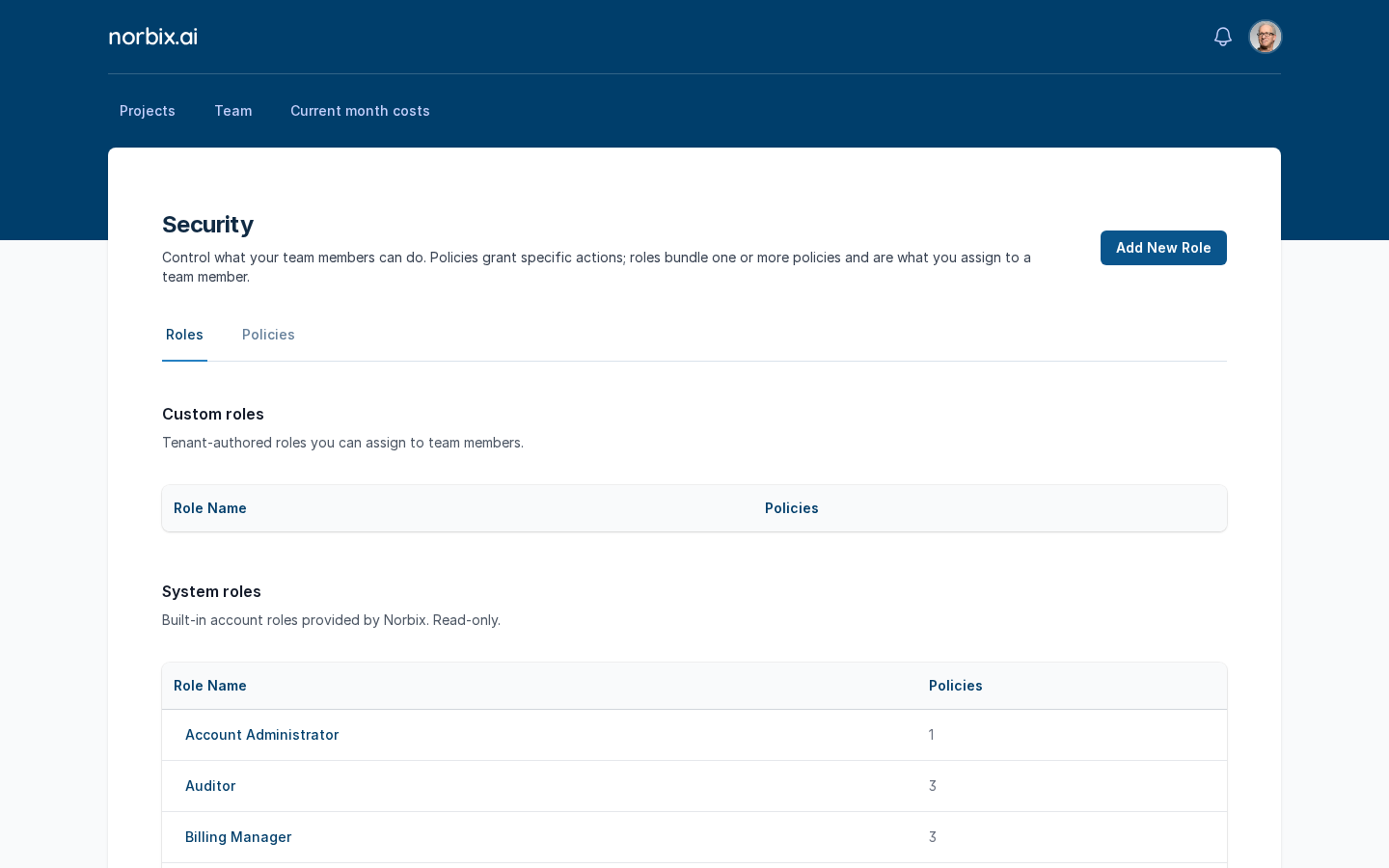
A **policy** grants actions on resources (for example "read every collection"). A **role** bundles one or more policies and is what you give to a [team member](/codemash/cloud/account/team.md). The screen has two tabs, **Roles** and **Policies**; each shows **Custom** ones (yours) and **System** ones (built in, read-only). How permissions work in general: [Permissions](/codemash/cloud/concepts/permissions.md).

<figure><img src="https://712692422-files.gitbook.io/~/files/v0/b/gitbook-x-prod.appspot.com/o/spaces%2FHy372bqsaex2cqS3ikhL%2Fuploads%2Fgit-blob-7237efb4001d6259525a19978f81e54a4c063213%2Fsecurity-1.png?alt=media" alt="Security screen, Roles tab: empty Custom roles and the System roles list"><figcaption><p>Roles tab: the six system roles.</p></figcaption></figure>

## Before you start

* You need an account role that may manage the team (**Account Administrator** or **Team Manager**).
* Know your account id (`acc_…`) — it is on [Your Profile](/codemash/cloud/account/profile.md). Policy resources start with it.

## Steps

1. Open the **Policies** tab and press **Add New Policy**.

   <figure><img src="https://712692422-files.gitbook.io/~/files/v0/b/gitbook-x-prod.appspot.com/o/spaces%2FHy372bqsaex2cqS3ikhL%2Fuploads%2Fgit-blob-70a6d538c5974be4dcfcf17a2e9366e3610ac032%2Fsecurity-2.png?alt=media" alt="Policies tab with Custom policies and System policies"><figcaption><p>Policies tab.</p></figcaption></figure>
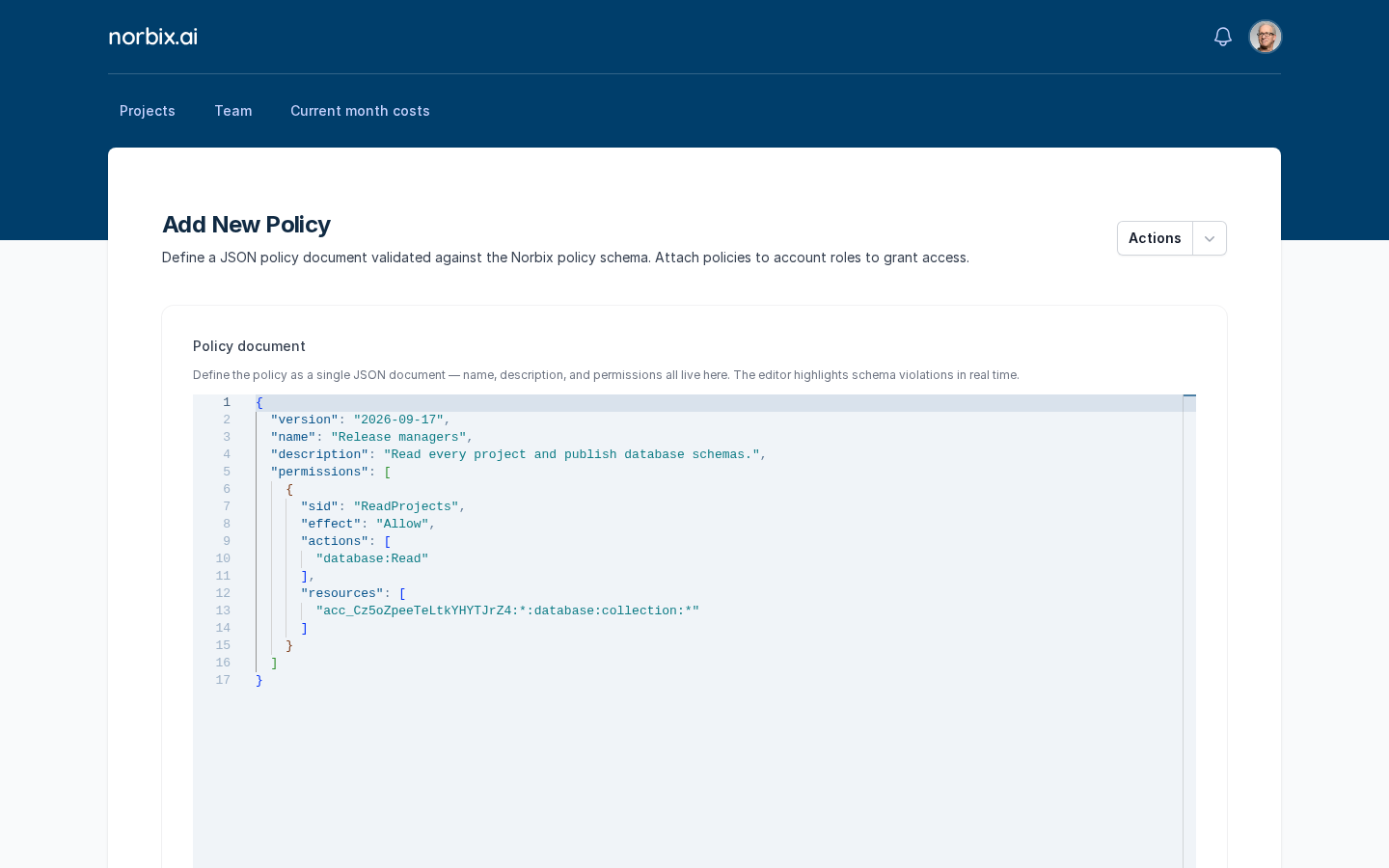
2. Write the **Policy document** — one JSON document with the name, the description and the permissions. The editor checks it while you type and says **Policy document is valid against the schema.**

   ```json
   {
     "version": "2026-09-17",
     "name": "Release managers",
     "description": "Read every project and publish database schemas.",
     "permissions": [
       {
         "sid": "ReadProjects",
         "effect": "Allow",
         "actions": ["database:Read"],
         "resources": ["acc_Cz5oZpeeTeLtkYHYTJrZ4:*:database:collection:*"]
       }
     ]
   }
   ```

   A resource has five parts: `account:project:module:kind:id`. Use `*` for "every project" — not `pr_*`.

   <figure><img src="https://712692422-files.gitbook.io/~/files/v0/b/gitbook-x-prod.appspot.com/o/spaces%2FHy372bqsaex2cqS3ikhL%2Fuploads%2Fgit-blob-b88c92c323eac2c0876a66c461a27141ff506cad%2Fsecurity-3.png?alt=media" alt="Add New Policy with the Release managers policy document in the editor"><figcaption><p>The policy document.</p></figcaption></figure>

   <div data-gb-custom-block data-tag="hint" data-style="warning" class="hint hint-warning"><p>The example document Cloud puts into a new policy uses <code>pr_*</code> as the project part. Saving it fails with <em>CM-ERRORS-MEMBERSHIP-020: Project segment 'pr_*' is not a valid project id</em>. Replace <code>pr_*</code> with <code>*</code> (every project) or a real project id such as <code>pr_7FUKofhEBNMnISkqust2De</code>.</p></div>
3. Press **Save**. Cloud shows **Policy has been created** and goes back to **Security**.
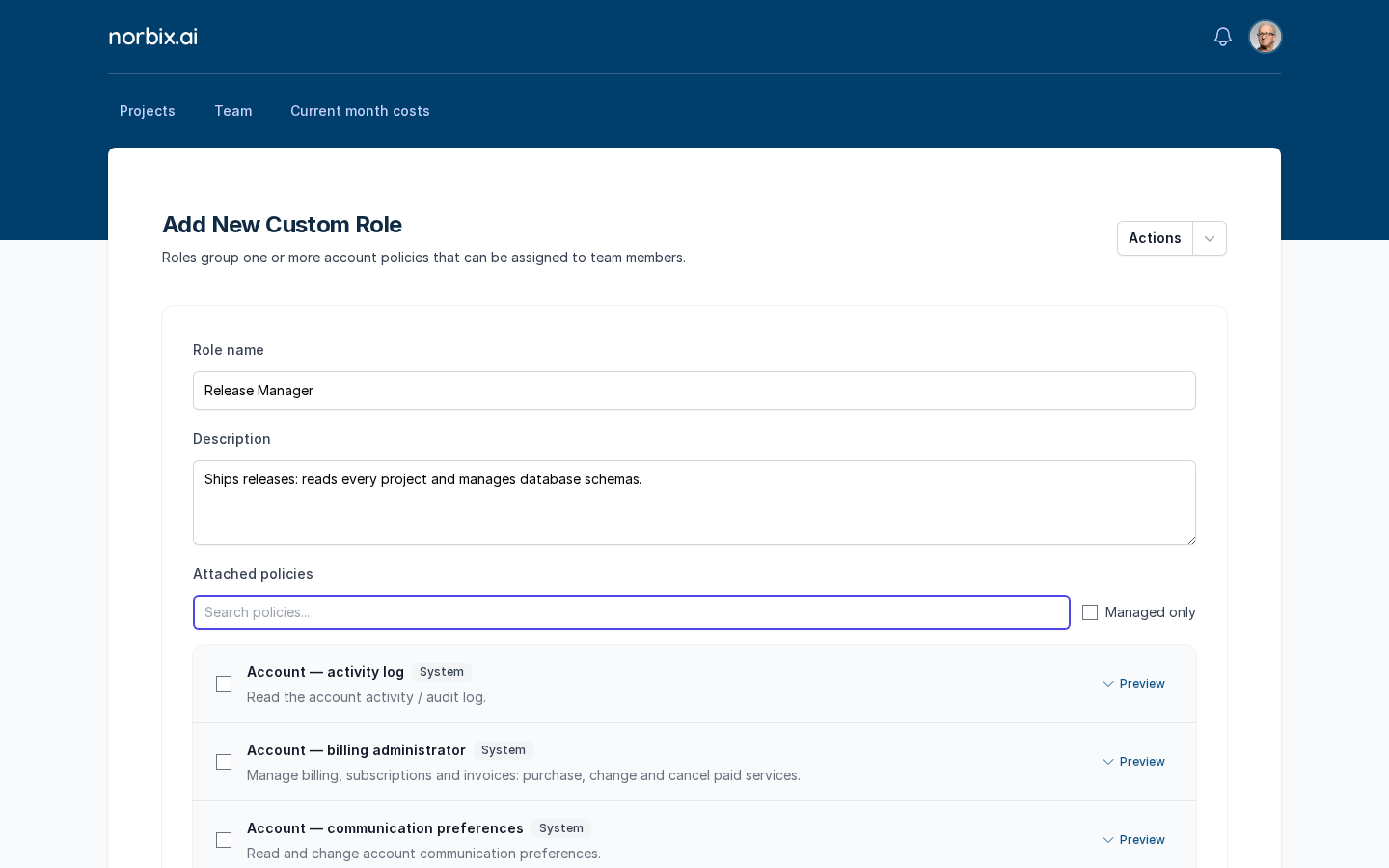
4. On the **Roles** tab press **Add New Role** and fill in the form:

   | Field             | Required | What it does                                                                                                                                               | Example                                                             |
   | ----------------- | -------- | ---------------------------------------------------------------------------------------------------------------------------------------------------------- | ------------------------------------------------------------------- |
   | Role name         | yes      | The name you pick in [Team](/codemash/cloud/account/team.md).                                                                                              | `Release Manager`                                                   |
   | Description       | no       | What the role is for.                                                                                                                                      | `Ships releases: reads every project and manages database schemas.` |
   | Attached policies | no       | Tick the policies the role gives. **Search policies...** filters the list, **Managed only** hides your custom ones, **Preview** shows a policy's document. | `Release managers`, `All projects — read only`                      |

   <figure><img src="https://712692422-files.gitbook.io/~/files/v0/b/gitbook-x-prod.appspot.com/o/spaces%2FHy372bqsaex2cqS3ikhL%2Fuploads%2Fgit-blob-5aab4c8460643c8118314b6173895778b2cd0df8%2Fsecurity-5.png?alt=media" alt="Add New Custom Role form with Role name, Description and the Attached policies list"><figcaption><p>A new custom role.</p></figcaption></figure>
5. Press **Save**.

## Result

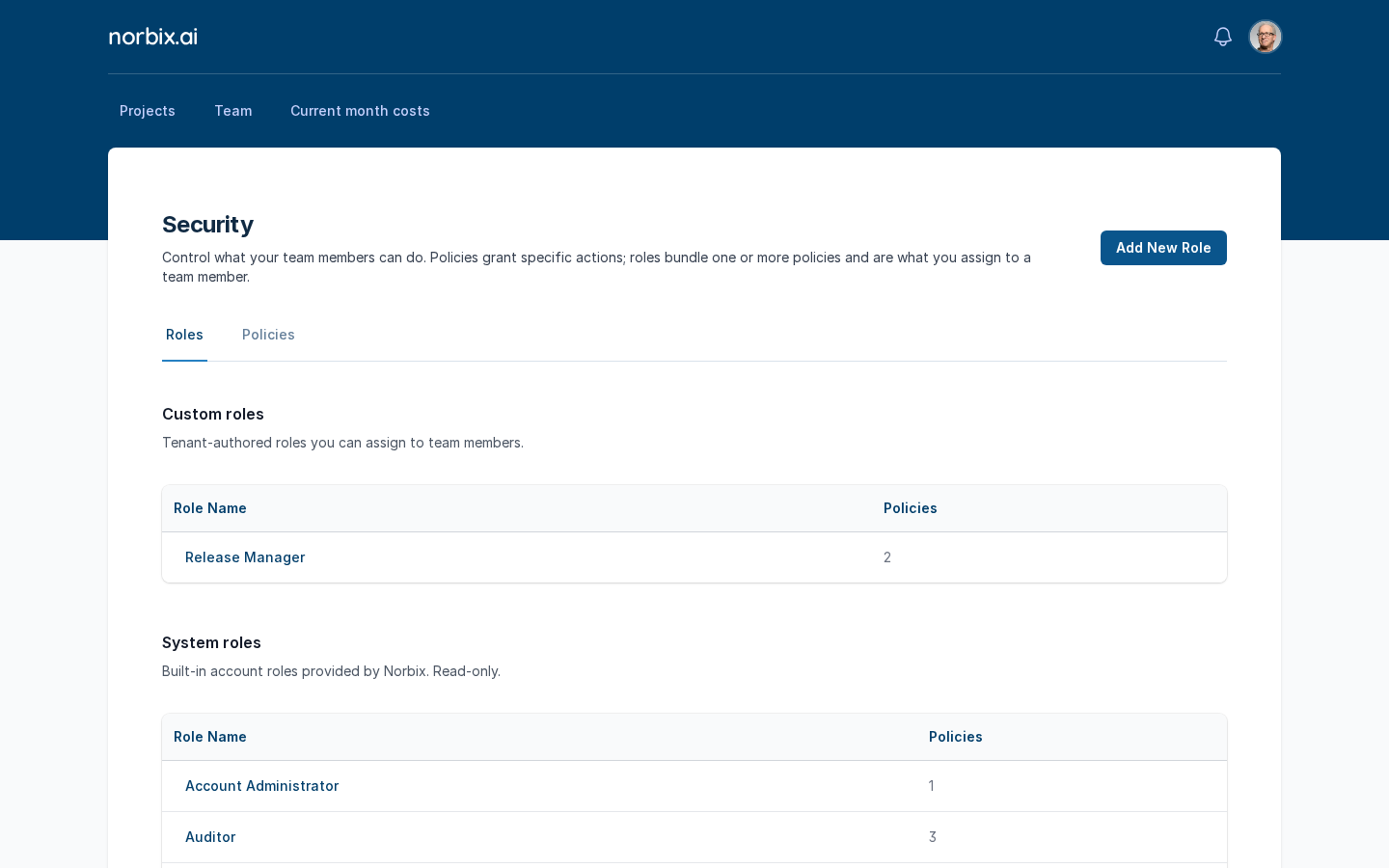
Cloud shows **Role has been created** and the role appears under **Custom roles** with the number of its policies. It is now in the **Account roles** list when you add a team member.

<figure><img src="https://712692422-files.gitbook.io/~/files/v0/b/gitbook-x-prod.appspot.com/o/spaces%2FHy372bqsaex2cqS3ikhL%2Fuploads%2Fgit-blob-561add69a6eddadcf61637aa484d250af40a3e52%2Fsecurity-6.png?alt=media" alt="Custom roles with Release Manager and 2 policies"><figcaption><p>Release Manager under Custom roles.</p></figcaption></figure>

## Change or remove it later

* **Edit** — press the role or policy name, change it and press **Save** (**Role has been updated** / **Policy has been updated**). A system role or policy opens read-only (**Displaying system role**).
* **Delete** — on the edit page open **Actions** → **Delete** and confirm; Cloud shows **Role has been deleted** / **Policy has been deleted**.

## Do it from code

```ts
const { roles } = await norbix.hub.account.getAccountTeamRoles({});
console.log(roles.map((r) => `${r.name}${r.isSystem ? ' (system)' : ''}`));
// ["Account Administrator (system)", "Auditor (system)", …, "Release Manager", …]
```

```sh
norbix hub account team roles get
```

The client setup is on the [Account page](/codemash/cloud/account.md#use-it-from-code). API: [Get Account Team Roles](/codemash/api-reference/account/team/get-account-team-roles.md) · [Create Account Role](/codemash/api-reference/account/team/create-account-role.md) · [Create Account Policy](/codemash/api-reference/account/team/create-account-policy.md)