> For the complete documentation index, see [llms.txt](https://codemash.gitbook.io/codemash/llms.txt). Markdown versions of documentation pages are available by appending `.md` to page URLs; this page is available as [Markdown](https://codemash.gitbook.io/codemash/cloud/account/profile.md).
# Your Profile
Change your phone, the account name and the billing, operations and security contacts, then save.
**Where:** avatar menu → **Your Profile** · `/account/profile`
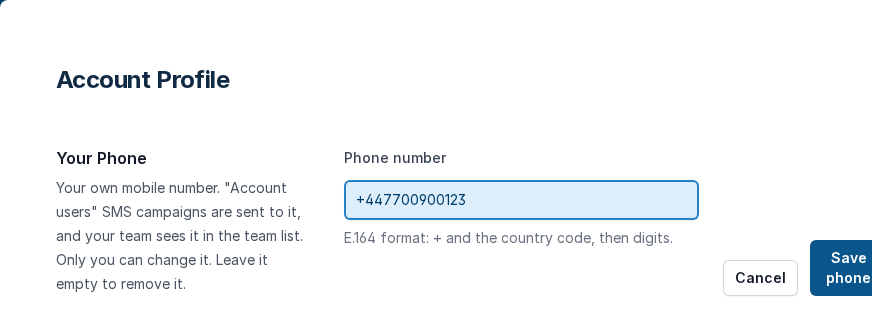
The **Account Profile** screen has two forms: **Your Phone** (your own mobile number) and the account form (account name and three contact emails). Each form has its own save button.
## Before you start
* You are signed in ([Sign up and sign in](/codemash/cloud/account/sign-in.md)). Every team member can set their own phone; changing the account form needs an account role that may update the account profile (for example **Account Administrator**).
## Steps
1. Open avatar menu → **Your Profile**.
2. Under **Your Phone**, type your **Phone number** in E.164 format — `+`, the country code, then digits — and press **Save phone**. Leave the field empty and save to remove the number.
Your Phone.
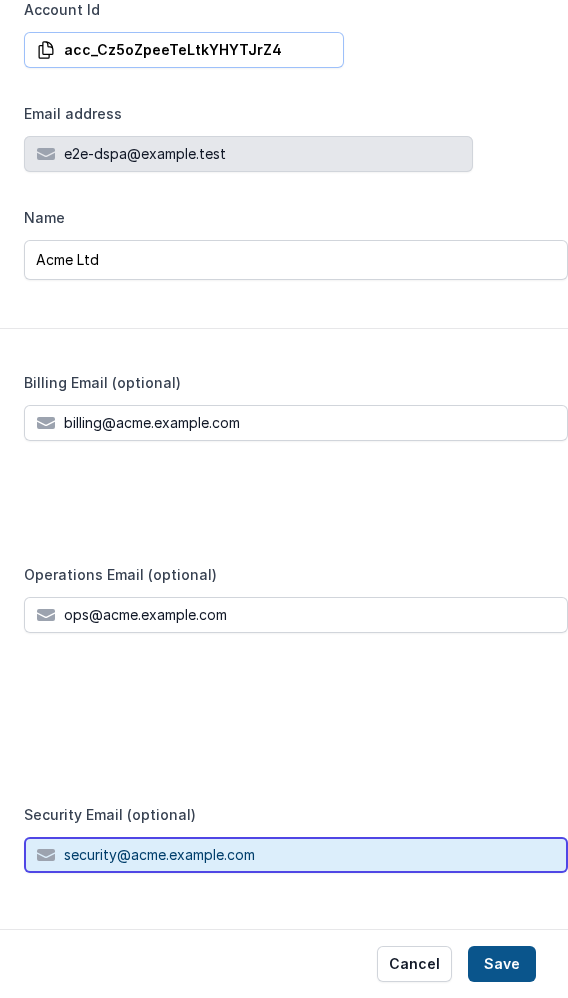
3. In the account form, fill in the fields:
| Field | Required | What it does | Example |
| --------------------------- | -------- | ------------------------------------------------------------------- | --------------------------- |
| Account Id | — | Your account id, read-only, with a copy button. | `acc_Cz5oZpeeTeLtkYHYTJrZ4` |
| Email address | — | The owner's sign-in email, read-only. | `owner@acme.example.com` |
| Name | no | The account name, shown to people you invite. | `Acme Ltd` |
| Billing Email (optional) | no | Where invoices and payment reminders go. | `billing@acme.example.com` |
| Operations Email (optional) | no | Where alerts and updates go, so they do not fill the owner's inbox. | `ops@acme.example.com` |
| Security Email (optional) | no | Where security alerts go. | `security@acme.example.com` |
The account form, filled in.
4. Press **Save** at the bottom of the form. **Cancel** puts the saved values back.
## Result
Cloud shows **Profile has been updated** (and **Your phone has been saved** for the phone). The values stay after a reload. Your phone shows in the **Phone** column of [Team](/codemash/cloud/account/team.md), and "Account users" SMS campaigns are sent to it ([SMS campaigns](/codemash/cloud/sms/campaigns.md)).
## Change or remove it later
* **Change** — edit a field and press **Save** again.
* **Remove a contact** — clear the field and press **Save**.
* **Remove your phone** — clear **Phone number** and press **Save phone** (**Your phone has been removed**).
* The account id and the owner's email cannot be changed.
## Do it from code
```ts
await norbix.hub.account.updateAccountProfile({
displayName: 'Acme Ltd',
billingEmail: 'billing@acme.example.com',
operationsEmail: 'ops@acme.example.com',
securityEmail: 'security@acme.example.com',
});
const { item } = await norbix.hub.account.getAccountProfile({});
```
```sh
norbix account profile
```
The client setup is on the [Account page](/codemash/cloud/account.md#use-it-from-code). API: [Update Account Profile](/codemash/api-reference/account/profile/update-account-profile.md) · [Update My Account User Phone](/codemash/api-reference/account/me/update-my-account-user-phone.md)