> For the complete documentation index, see [llms.txt](https://codemash.gitbook.io/codemash/llms.txt). Markdown versions of documentation pages are available by appending `.md` to page URLs; this page is available as [Markdown](https://codemash.gitbook.io/codemash/cloud/account/compliance.md).
# Compliance
Set the regulations, data retention windows, consent purposes and legal holds of a project, and read its audit log.
**Where:** avatar menu → **Compliance** · `/account/compliance`
**Compliance** is the data-controller toolkit of one project. Pick the project in the **Project** box on the top right, then use the five tabs: **Regulatory regimes**, **Retention windows**, **Consent purposes**, **Legal holds** and **Audit log**. Every change saves at once.
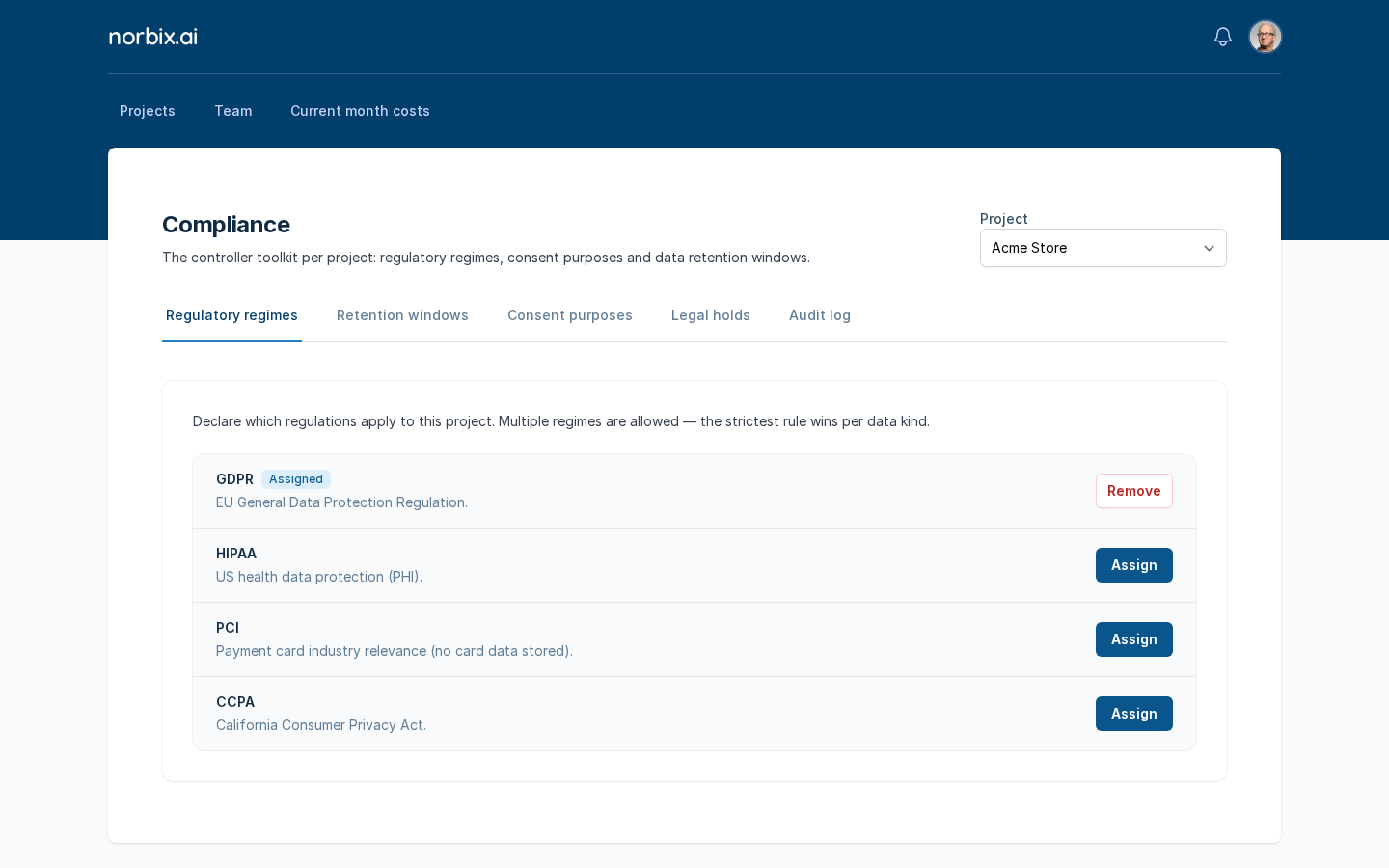
Regulatory regimes of Acme Store.
## Before you start
* The project exists ([Create a project](/codemash/cloud/project/create.md)).
* You need an account role that may manage the project's settings (for example **Account Administrator**).
## Steps
1. Pick the project in **Project** — for example `Acme Store`.
2. **Regulatory regimes** — press **Assign** next to each regulation that applies: **GDPR** (EU General Data Protection Regulation), **HIPAA** (US health data), **PCI** (payment cards; no card data is stored) or **CCPA** (California). You can assign several; the strictest rule wins for each kind of data. An assigned regime shows the **Assigned** badge and a **Remove** button.
GDPR assigned.
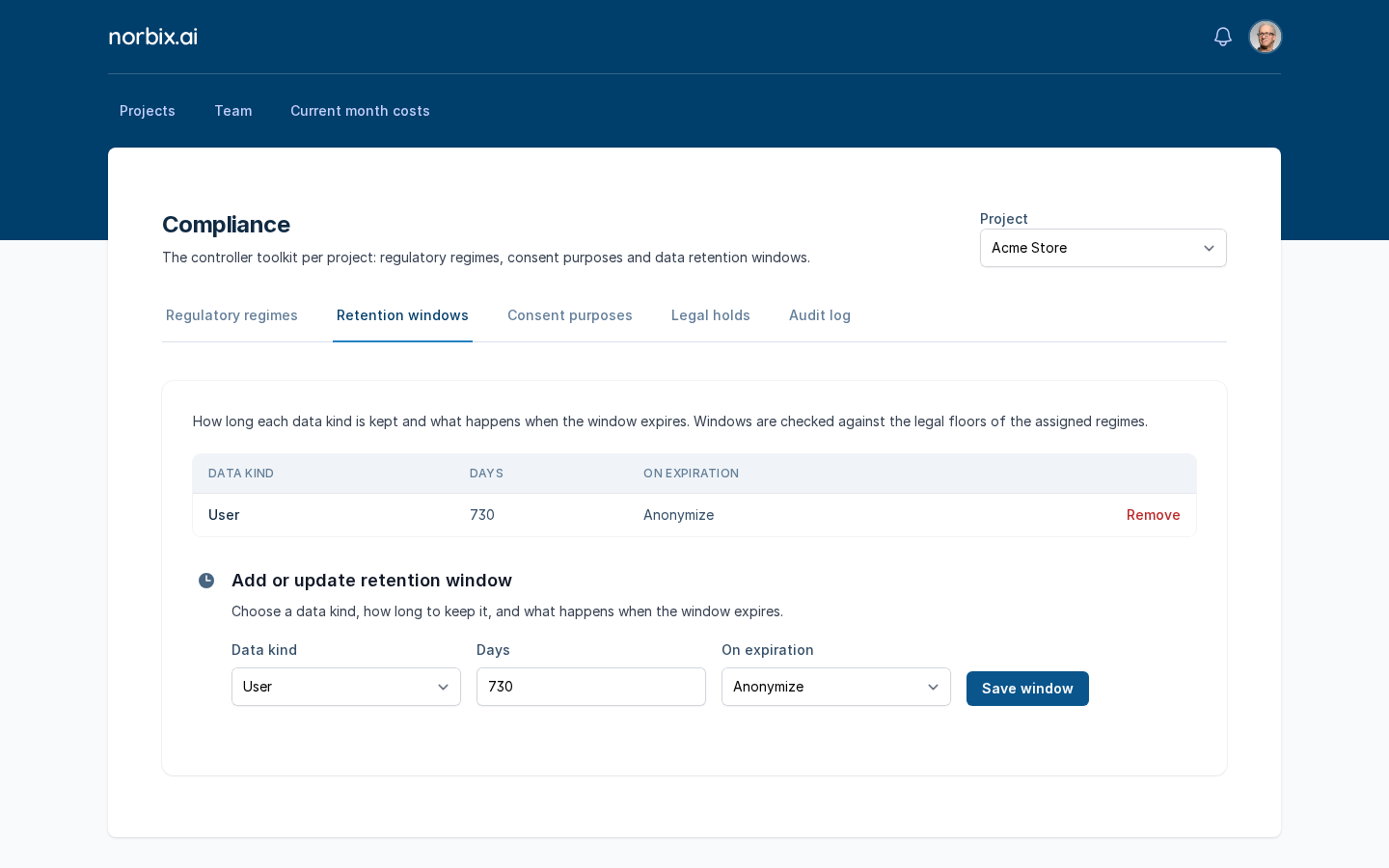
3. **Retention windows** — under **Add or update retention window** pick the **Data kind**, the **Days** to keep it and what happens **On expiration**, then press **Save window**:
| Field | Required | What it does | Example |
| ------------- | -------- | ------------------------------------------------------------------------------------------- | ----------- |
| Data kind | yes | `User`, `Contact`, `Order`, `OrderLine`, `FileResource` or `AuditEntry`. | `User` |
| Days | yes | How long the data is kept. It is checked against the legal minimum of the assigned regimes. | `730` |
| On expiration | yes | `Anonymize`, `Delete` or `Archive`. | `Anonymize` |
A retention window for users.
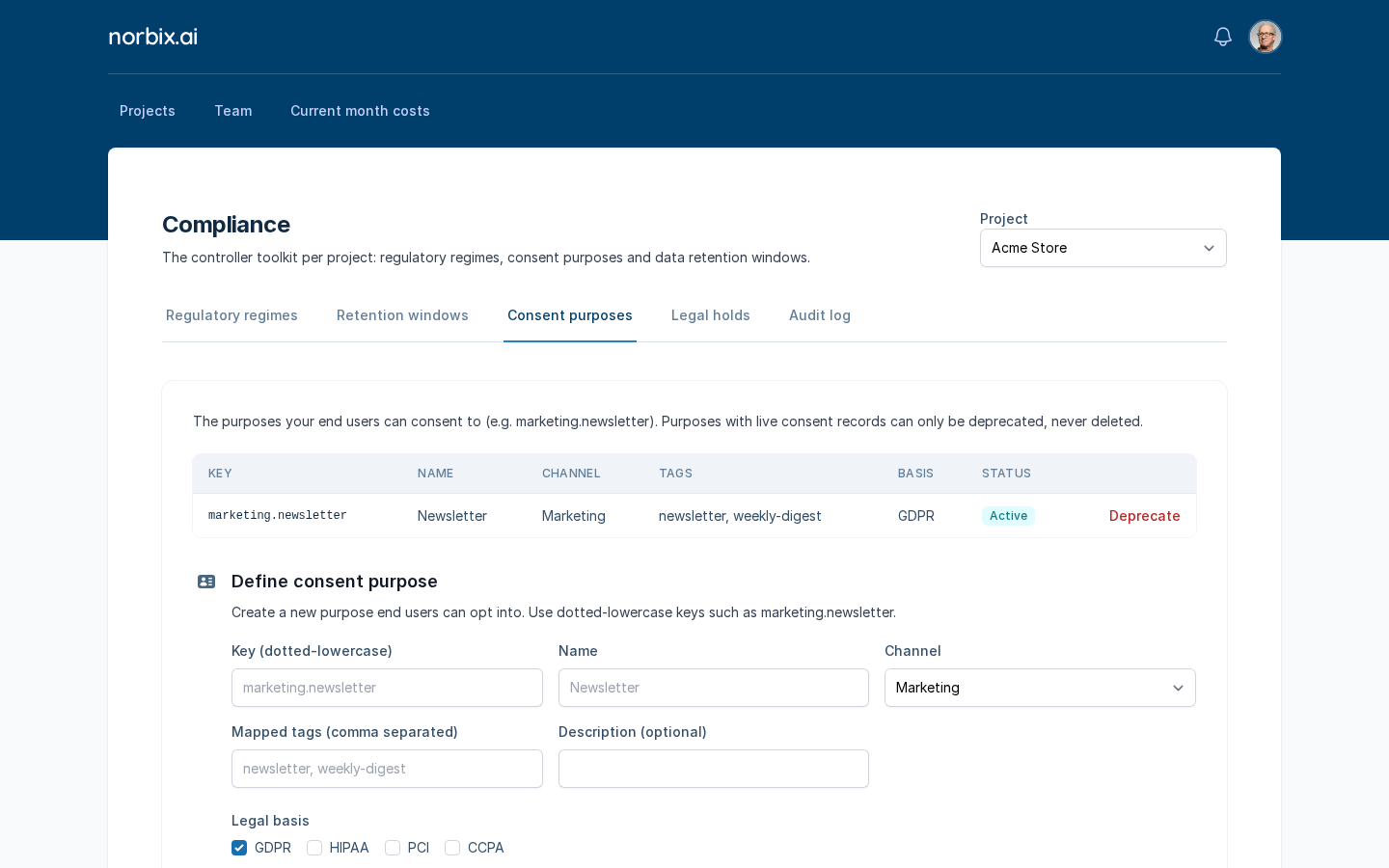
4. **Consent purposes** — under **Define consent purpose** fill in the form and press **Define purpose**:
| Field | Required | What it does | Example |
| ----------------------------- | -------- | ----------------------------------------- | --------------------------- |
| Key (dotted-lowercase) | yes | The id your app uses. | `marketing.newsletter` |
| Name | yes | The name end users see. | `Newsletter` |
| Channel | yes | `Marketing`, `Transactional` or `System`. | `Marketing` |
| Mapped tags (comma separated) | yes | The message tags this purpose covers. | `newsletter, weekly-digest` |
| Description (optional) | no | A longer text. | — |
| Legal basis | yes | The regimes the purpose relies on. | `GDPR` |
A new consent purpose.
5. **Legal holds** — to freeze one person's data, pick the **Subject kind** (`Contact`, `User`, `Order` or `FileResource`), paste the **Subject id** (for example `ct_…`), write a **Reason** and press **Place hold**. While the hold is active, every notification to that subject is blocked and deleting it is refused.
Legal holds.
## Result
Each tab shows the new state right away: the **Assigned** badge, a row in the retention table, a row in the consent table with the status **Active**. The **Audit log** tab lists every blocked notification, legal hold and erasure decision of the last 30 days (latest 100) — the evidence a regulator asks for.
The new purpose is Active.
Audit log of a new project.
## Change or remove it later
* **Regime** — **Remove** next to it.
* **Retention window** — save the same data kind again to change it, or press **Remove** in its row.
* **Consent purpose** — press **Deprecate**. A purpose with consent records can only be deprecated, never deleted.
* **Legal hold** — release it in its row on **Legal holds**.
## Do it from code
```ts
await norbix.hub.compliance.saveRetentionWindow({ dataKind: 'User', days: 730, action: 'Anonymize' });
const { settings } = await norbix.hub.compliance.getComplianceSettings();
console.log(settings.regimes, settings.retentionWindows); // ["GDPR"] [{ dataKind: "User", days: 730, action: "Anonymize" }, …]
```
```sh
norbix hub compliance retention window save --dataKind Contact --days 365 --action Delete
```
The client setup is on the [Account page](/codemash/cloud/account.md#use-it-from-code). API: the compliance endpoints have no generated reference page yet; see the [Account API](/codemash/api-reference/account.md) and the SDK's `norbix.hub.compliance` methods.